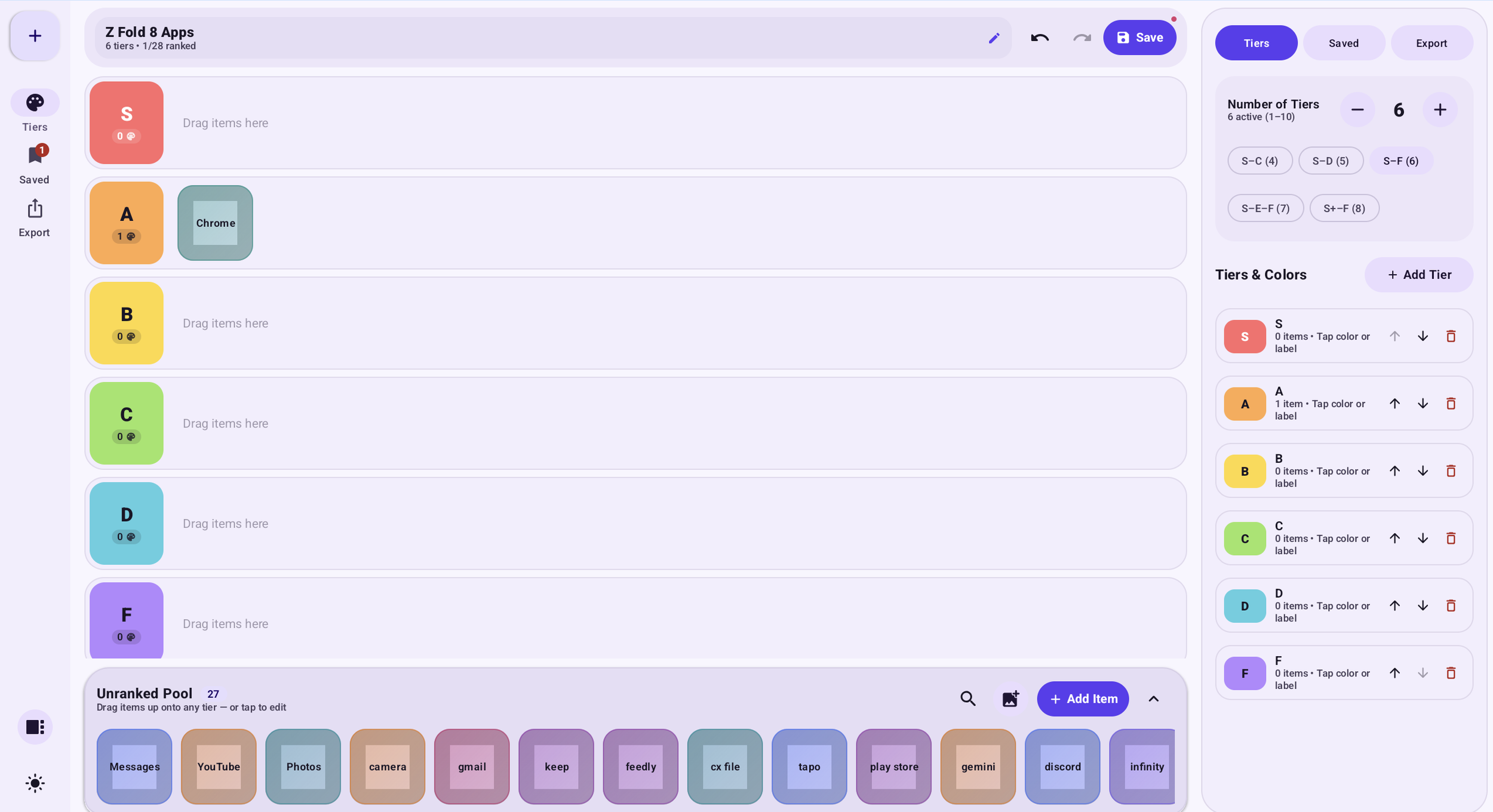
Strata is a dedicated tier list application designed to help users create, customize, and share rankings for anything from games and movies to food and music. Ranking your favorites works best when you have a fast, tactile workspace that scales cleanly from phones to tablets and desktop screens without fighting clunky web layouts.
This app is still in testing, so check back for updates later.
Key Features
Strata gives you full control over your ranking boards through responsive drag-and-drop tools and flexible customization.
Customizable Tiers and Colors: Set anywhere from 1 to 10 tiers (including classic S through F presets), rename or reorder rows at any time, and apply colors using curated swatches or a custom HSL color mixer with automatic text contrast.
Name and Image Items: Populate the bottom unranked pool with text cards, photos from your gallery, or tiles combining both. Batch text entry and multi-photo import let you build large lists in seconds, with images stored locally so saved lists never break.
Tactile Drag-and-Drop Snapping: Drag items directly up from the bottom pool onto any tier or reorder them inside a row, complete with live snap highlights, haptic feedback, and automatic edge scrolling. You can also tap any tile to edit it or quick-snap it to a specific tier.
Saved Lists and Easy Export: Save multiple tier lists locally on your device, switch between them with miniature tier-color previews, or duplicate boards to try different rankings. Export finished lists as high-resolution PNG images to share or save to your gallery, or back them up as JSON.
Adaptive Material 3 Expressive Design: Built with Material 3 Expressive styling, light and dark themes, adjustable tile sizes, and a 50-step undo/redo history. The layout adapts seamlessly from a compact phone view to a tablet navigation rail and a 3-pane desktop workspace with a live side inspector.
Offline and Privacy-First: Strata stores all lists and imported images directly on your device with no accounts, no ads, no tracking, and no unnecessary permissions.
How to Install and Set Up Strata
Because Strata is distributed as an APK file, you will need to sideload it onto your device. Follow these steps to get it running:
Download the Strata APK directly from the website link to save the file to your device storage.
Open the downloaded APK file directly from your system download notification or through your preferred file manager.
When prompted by the system, grant your browser or file manager permission to install applications from unknown sources.
Follow the on-screen installation prompts to complete setup. Once installed, launch Strata directly from your app drawer.