Galaxy Z Fold 8 Review: The Triumph of Form Factor
For years, phones have been caught in a relentless numbers game. Brands race to build the thinnest frame, pack the highest megapixels or stretch displays into larger and larger rectangles, which have become so large they are essentially impossible to use with one hand.
To me, a phone is so much more than just a spec sheet. It is not about ticking arbitrary boxes in a comparison chart or bragging about who has the biggest numbers. While impressive hardware stats can certainly help make a phone great, what truly matters to me at the end of the day is the actual experience of using the device, and that is exactly where the Galaxy Z Fold 8 shines.
Hardware & Ergonomics
You quickly notice how thin and light the Fold 8 feels, but the very first thing that hits you is just how small it looks. In my unboxing video, you can see that reaction in real time when I took the lid off the box. I was kind of shocked at how small it actually was in person, even though I had been looking at a 3D print of it for months. At just 201 grams, it is significantly lighter than its predecessor and feels remarkably easy to carry. That weight drop is especially noticeable during extended, one-handed scrolling sessions where heavy phones usually cause hand strain.
When folded, the device measures 123.9 x 81.9 x 9.7 mm, expanding to 123.9 x 161.4 x 4.5 mm when unfolded. That passport-style footprint hits a sweet spot for one-handed operation. Reaching across the keyboard to hit keys with your thumb is effortless, avoiding the finger gymnastics required by taller, top-heavy slate devices. The overall chassis feels well-balanced, comfortable and remarkably slim in the pocket.
Aspect Ratios & Display Flexibility
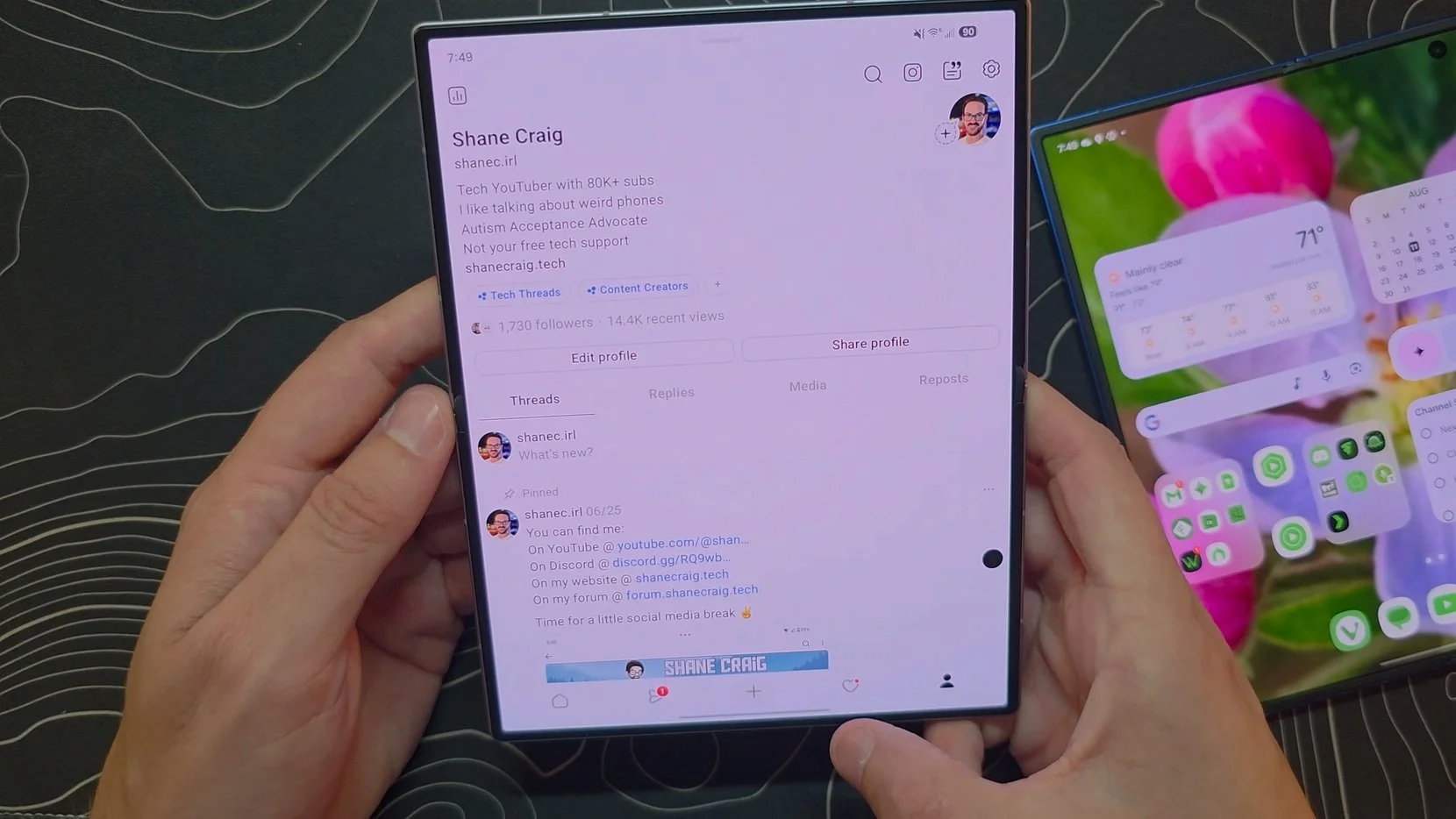
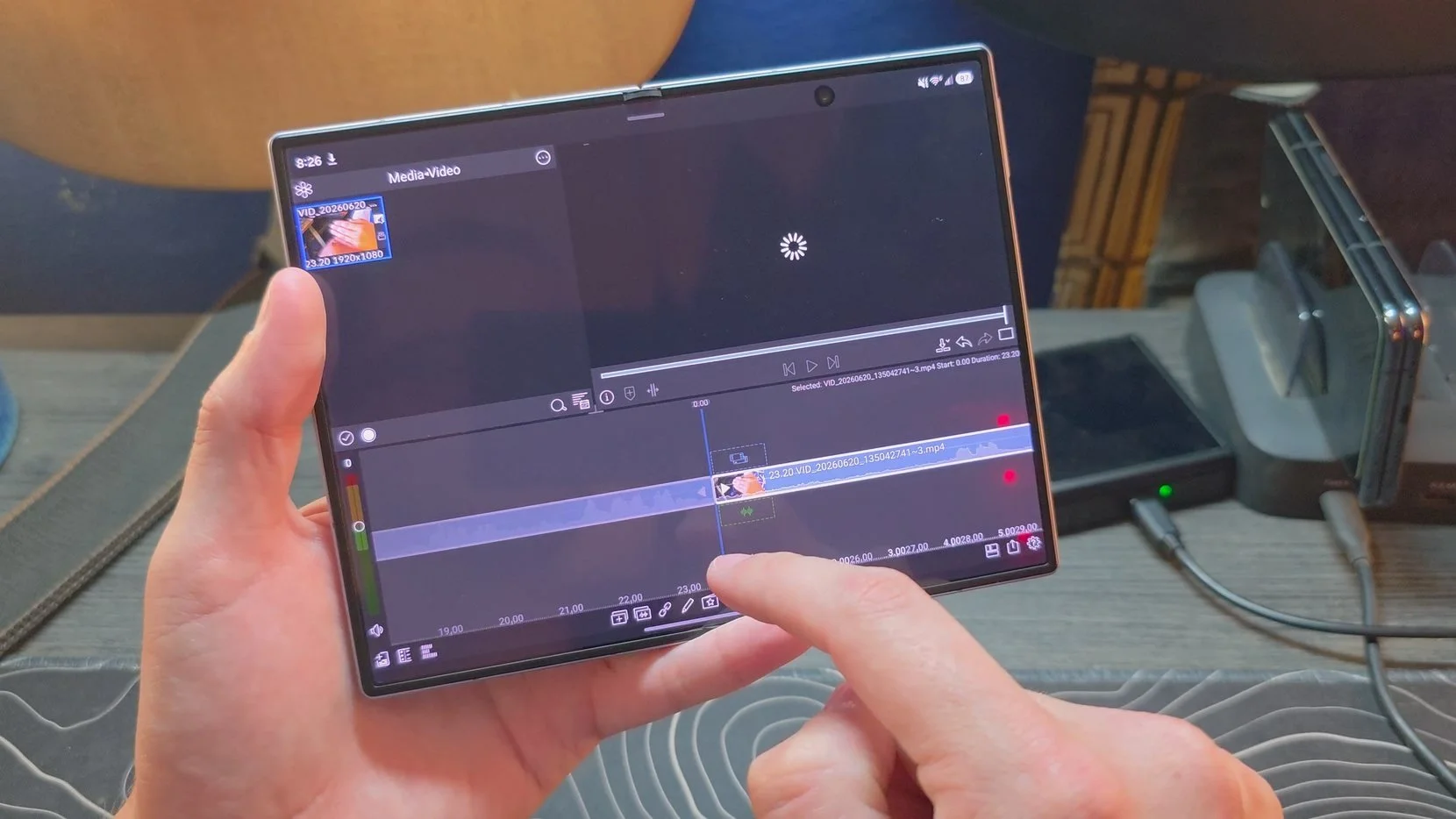
The central story of the Fold 8 comes down to its aspect ratios. Outside, you get a 16:10 cover screen, which unfolds into a wide 4:3 inner canvas. Moving away from the long, narrow tallness of prior generations completely changes how you interact with the device.
On the outside, the 16:10 display looks and functions like a standard, normal smartphone. Inside, that 4:3 aspect ratio delivers an immediate, expansive view for reading articles, browsing websites and running apps. Rather than feeling like a stretched phone screen, the inner display acts like a proper compact tablet. Because Android tablet apps are built with wider screens in mind, software scales far more naturally across the panel without awkward pillarboxing or blown-up layouts.
Display, Crease & Anti-Reflective Coating
Beyond aspect ratios, the quality of the panels themselves comes down to how they look in daily use, and both screens look fantastic. They are sharp, vibrant and incredibly punchy. With a peak brightness hitting 3,000 nits, outdoor visibility is stellar, holding up really nicely even under direct sunlight.
The inner screen in particular, paired with the anti-reflective coating, looks phenomenal. Easily the best looking display Samsung has ever put on a Z Fold. Foldable inner panels have historically suffered from heavy glare due to their plastic protective layers, but this new coating drastically cuts down ambient reflections. While it does not quite reach the impressive anti-reflective levels seen on the Galaxy S25 Ultra, it is still a massive, very welcome improvement that makes outdoor and harsh indoor viewing far more enjoyable.
Before launch, there was a ton of hype claiming this generation was finally going to eliminate the crease entirely. I posted a video pointing out that we hear this exact story every single year. The hinge gets slightly better, but the crease never fully disappears, and expecting Samsung to go from the Fold 7 straight to a completely invisible crease in one generation was just unrealistic. Now, over a week into actually living with the phone, I feel pretty vindicated.
The crease is very hard to notice, and it is very hard to feel, but it is absolutely still there. Rather than some magical disappearance, it feels like just another solid step up over the Fold 7, which was already quite good. Reducing overhead glare makes the seam significantly less visible during normal viewing, and paired with a flatter hinge surface, you rarely notice it unless light hits it at a sharp angle. It yields a clean, uninterrupted display experience that lets you focus on the content rather than the underlying fold. At this point, compared to options from Motorola and Honor that I have in house, Samsung's execution here feels noticeably cleaner and less intrusive to the touch.
Speakers & Audio Setup
Right alongside the display, the speaker setup is another area where layout choices directly impact daily use. The main quirk with this phone comes down to speaker placement. For reasons known only to Samsung's engineering team, both speakers sit on the left side, at the top and bottom of the frame, when the device is opened.
While those two speakers are technically outputting distinct left and right channels to produce a stereo feed, your brain cannot perceive actual stereo separation when both sound sources originate from the exact same side of your head. Stereo separation relies on spatial cueing, specifically interaural time and volume differences between your left and right ears. When both speakers sit together on the left half, every audio signal reaches your left ear first, completely killing any sense of wide left-to-right directionality or immersive soundstage when watching a movie or playing a game unfolded.
It is a head-scratching hardware layout, but the actual driver quality itself is surprisingly strong. The audio coming out of those speakers sounds full and rich, avoiding the thin, tinny profile that often plagues thin devices. They push impressive overall volume as well, sounding visibly punchier and noticeably louder than my Z Fold 7. The speakers themselves sound genuinely good, they are just placed in an orientation that does not make a whole lot of sense.
Performance & Thermals
Under the hood, the Fold 8 is powered by the latest Snapdragon processor paired with 12GB of RAM. Unsurprisingly, it is fast. Running One UI 9.0, Samsung has clearly put work into refining system animations, giving the entire UI a fluid, responsive feel. Apps launch instantly, and bouncing between heavy workflows feels completely effortless. Running two, three or more apps side by side presents zero issues, though to be fair, raw horsepower has been a strong suit for the last several generations of Fold devices. These phones are exceptionally capable machines, and everyday performance here remains top notch.
Thermals are where things get a bit more nuanced. Under normal indoor use, the device stays completely cool. Taking the phone outside for prolonged stretches with the display cranked up to its 3,000-nit peak brightness causes the body to get quite warm to the touch. It never reached a point where it threw thermal error messages or noticeably throttled performance, but the heat generation is definitely noticeable in your hand. Once you step back inside and the display drops back to standard brightness levels, thermal behavior returns to normal.
Multitasking & Productivity
When it comes to getting work done, the wider inner display offers a solid multitasking experience, though it comes with tradeoffs. On a traditionally square foldable, running two apps side-by-side gives you two tall windows that look and feel like standard phone apps. With this wider aspect ratio, you gain extra horizontal space for each app, but you give up vertical height. Whether that is an upgrade comes down to personal preference. In my experience, having that extra width generally makes side-by-side apps feel more comfortable to use, even if you lose a bit of vertical content.
Samsung also gives you plenty of flexibility to tweak how that canvas behaves. You can run three apps side-by-side simultaneously, though three windows at once can feel somewhat cramped. Enabling the Multi window screen zoom feature inside the Good Lock MultiStar module helps by zooming out the interface just enough to give those windows extra room.
For heavier workflows, Samsung DeX remains as capable as ever. Plugging into an external display gives you a desktop mode that is fast, flexible and still the best desktop environment available on a mobile device. Multitasking here may not completely blow away a square foldable, but it is versatile, highly customizable and easily holds its own.
There is, however, one software scaling quirk on the inner screen home screen that drives me a bit crazy. To be clear, this is strictly a home screen issue; once you are inside applications, everything scales normally with zero problems. But when you unfold to the main home screen, the text inside your widgets becomes absurdly small, and the icons sitting on your taskbar shrink down to a size noticeably smaller than they are on the cover screen. I tend to put app folders on my taskbar to make launching split-screen pairs quicker, but when I do that here, the icons inside those folders are so tiny you can barely tell what they are.
You can hop into Good Lock and use the Home Up module to scale up the content size inside widgets, which helps patch up part of the issue. But the overall scaling on this main home screen canvas just feels unnecessarily tiny across the board. I have spent time tweaking font sizes, display scale and DPI settings, but I have yet to find a combination that truly solves the underlying issue on the home screen layout.








Camera System
The camera setup continues that overarching theme of experience taking priority over sheer spec sheet dominance.
On paper, this is technically a hardware step back from last year's Fold 7, which packed a 200-megapixel main sensor with a 1/1.3-inch optical format. The Fold 8 moves down to a 50-megapixel primary camera with a 1/1.56-inch sensor size. While tech enthusiasts might view that drop in resolution and physical sensor area as a downgrade, in real-world use, it remains a relatively large sensor that is more than adequate to get the job done.
Primary shots at 1x and 2x look quite good, delivering sharp details and vibrant, colorful images that you expect from a flagship. The ultrawide lens is fine for standard group shots or landscape photos, though its field of view is not particularly wide. It is functional, even if it is a lens I rarely find myself reaching for.
Without a dedicated telephoto camera, pushing digital zoom beyond 3x means you miss having proper optical hardware. I actually tested this directly against the original passport-style Pixel Fold, a comparison I put together in a dedicated video after getting flooded with questions about whether it was time to upgrade from that older device. While pitting a brand new phone against an older generation model might seem strange on paper, the real-world results were eye-opening. Even out at 5x zoom, the Fold 8 held up surprisingly well against the Pixel Fold's dedicated telephoto lens, delivering photos that were remarkably close in quality.
Honestly, after using the Galaxy Z Fold 7 for much of last year, I’m pretty used to not really having a telephoto camera.
On top of that solid zoom performance, video recording remains a massive strong suit for Samsung, delivering crisp footage and reliable stabilization across the board.
Battery Life & Charging
On the Fold 7, battery endurance was consistently in that four-to-six-hour screen-on time range, requiring a bit of power management on heavier days. With this device, battery life feels like a clear improvement. Hitting six-plus hours of screen-on time feels very achievable in daily use, providing a comfortable buffer without constant battery anxiety.
That gain comes down to the larger 4,800 mAh battery pack under the hood. When you do need to top off, the upgrade to 45W wired charging makes a noticeable difference. Quick top-ups give you a meaningful percentage boost in a short amount of time, making it much easier to keep the phone running through a full, heavy day.
Verdict: The Triumph of Form Factor
At the end of the day, this phone is not going to win every single spec-sheet battle. It does not carry the absolute longest battery life on the market, it does not pack the most absurdly high-resolution camera sensors, and it is not the paper-thin mechanical marvel that some ultrathin foldables try to be.
Where it wins, and where it wins decisively, is in the actual day-to-day human experience of using it. It is the lightest book-style foldable Samsung has built, making it exceptionally comfortable to hold for hours at a time. The real magic, though, is the aspect ratio. That 16:10 cover screen paired with the wide 4:3 inner display solves the core ergonomics problem that plagued narrow foldables for years. One-handed use on the outside feels natural, while opening the inside gives you an expansive, immediate tablet canvas that makes complete sense for reading, watching and working.
For years, I have argued that the passport form factor was the ideal vision for a foldable device. Seeing the broader tech world finally embrace this wider, shorter orientation feels like a massive validation of everything I have been saying. While it might not check every hypothetical box on a spec chart, the total package delivers a practical, delight-to-use experience that makes it easily one of the most enjoyable phones I have used in a very long time.