Samsung's Next Big Update Changelog Has Leaked | One UI 8 Features

If you have been waiting for the next big evolution in Samsung’s software, the wait for details is over. Thanks to a massive leak from tipster Tarun Vats, we now have what appears to be the full changelog for the upcoming One UI 8.5 beta. This update seems packed with meaningful improvements that span across Galaxy AI, Bixby, battery management and cross-device connectivity.
Here is a deep dive into what the leaked images reveal about the next version of One UI.
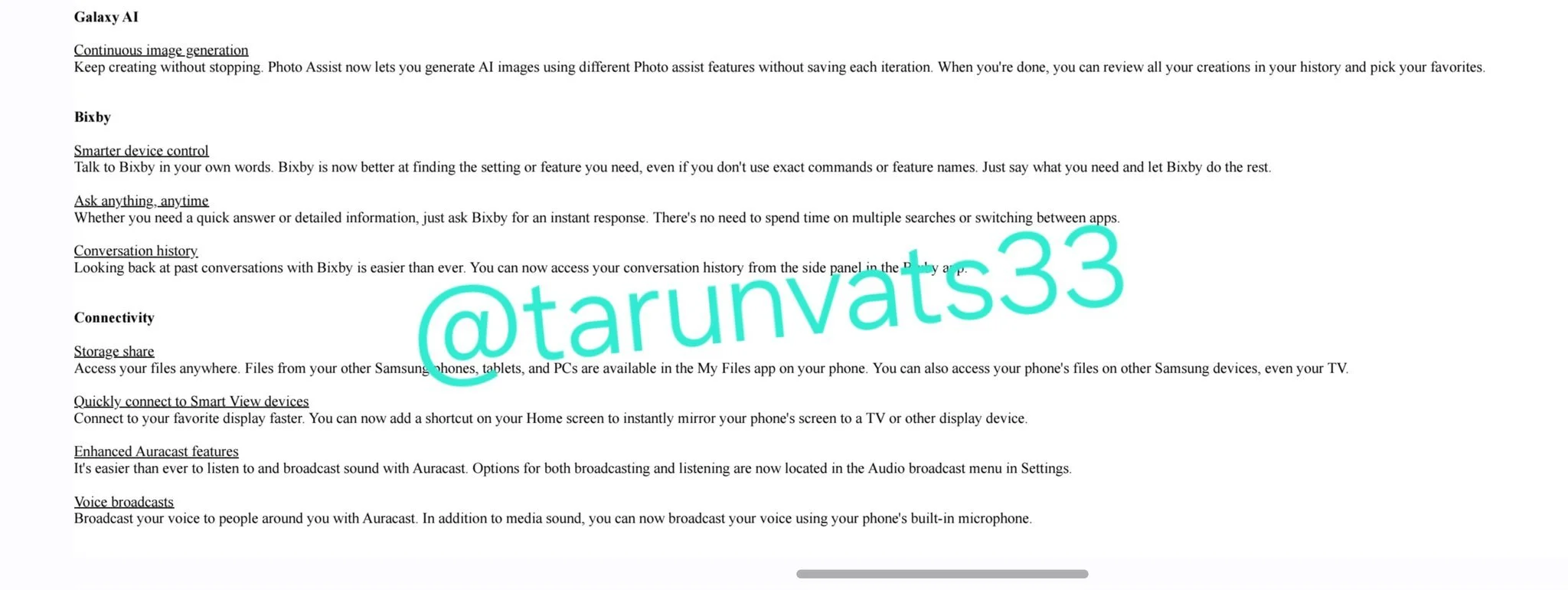
Galaxy AI Gets "Continuous" Creation
Samsung is doubling down on its AI capabilities with a feature called Continuous image generation. According to the leak, Photo Assist will now allow you to generate AI images using different features without saving every single iteration. You can simply keep creating and review your entire history at the end to pick your favorites.
A Smarter, More Conversational Bixby
It looks like Bixby is finally getting the "LLM" (Large Language Model) treatment we have been hearing rumors about. The changelog highlights three key upgrades:
Smarter device control: You can talk to Bixby in your own words. It is designed to find the specific setting or feature you need even if you do not know the exact command.
Ask anything, anytime: This suggests a more capable assistant that can provide instant answers or detailed information without you needing to switch apps or perform multiple searches.
Conversation history: You will now be able to access your past conversations with Bixby from a side panel in the app, making it easier to reference previous answers.
Seamless Connectivity
One UI 8.5 appears to be focusing heavily on the ecosystem experience.
Storage Share: This is a big one. You will be able to access files from your other Samsung phones, tablets and PCs directly in the My Files app on your current phone. This sounds a lot like part of the Android Handoff feature we’ve talked about in the past.
Smart View Shortcuts: You can add a shortcut to your Home screen to instantly mirror your phone screen to a TV or display.
Enhanced Auracast: Samsung is making it easier to broadcast sound. You can now broadcast your voice using the phone's built-in microphone to people around you via Auracast.
Battery and Customization Overhaul
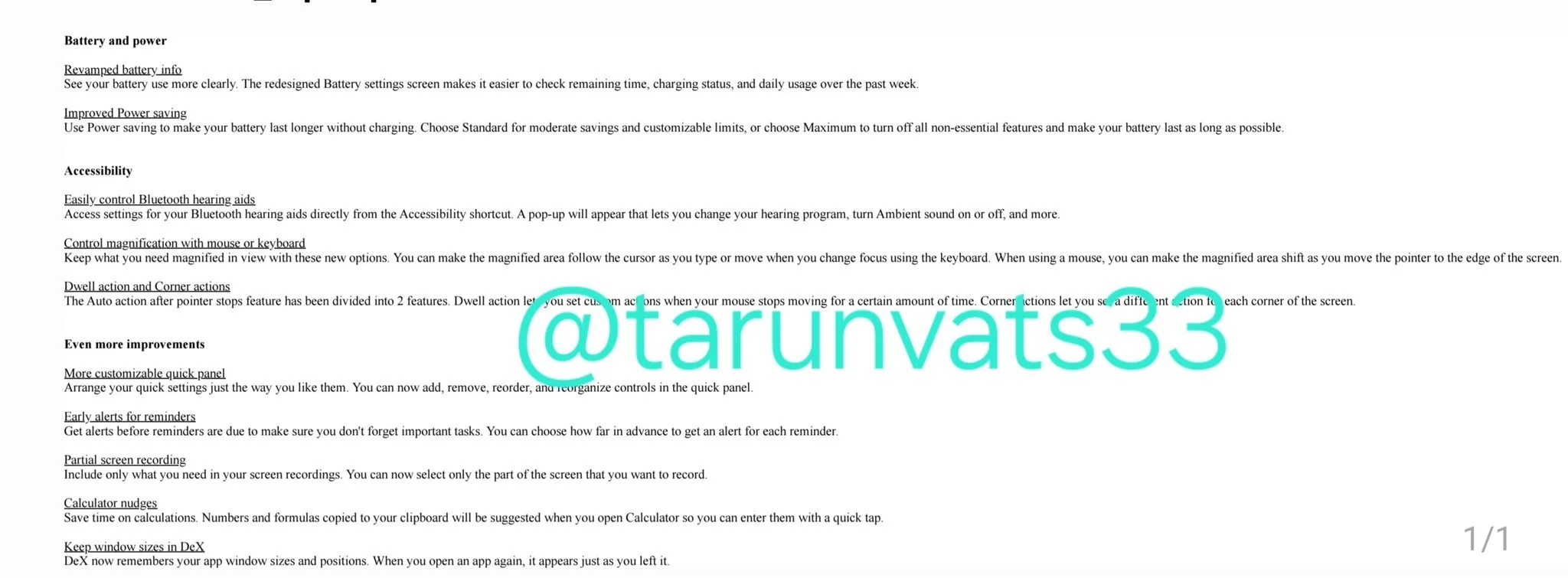
The settings menus are getting a refresh as well. The Battery settings screen has been redesigned to make it easier to check remaining time, charging status and daily usage. Hopefully this includes a revamp to the battery icon for better readability as well. This includes a new "Maximum" power saving mode that turns off all non-essential features to extend life as long as possible.
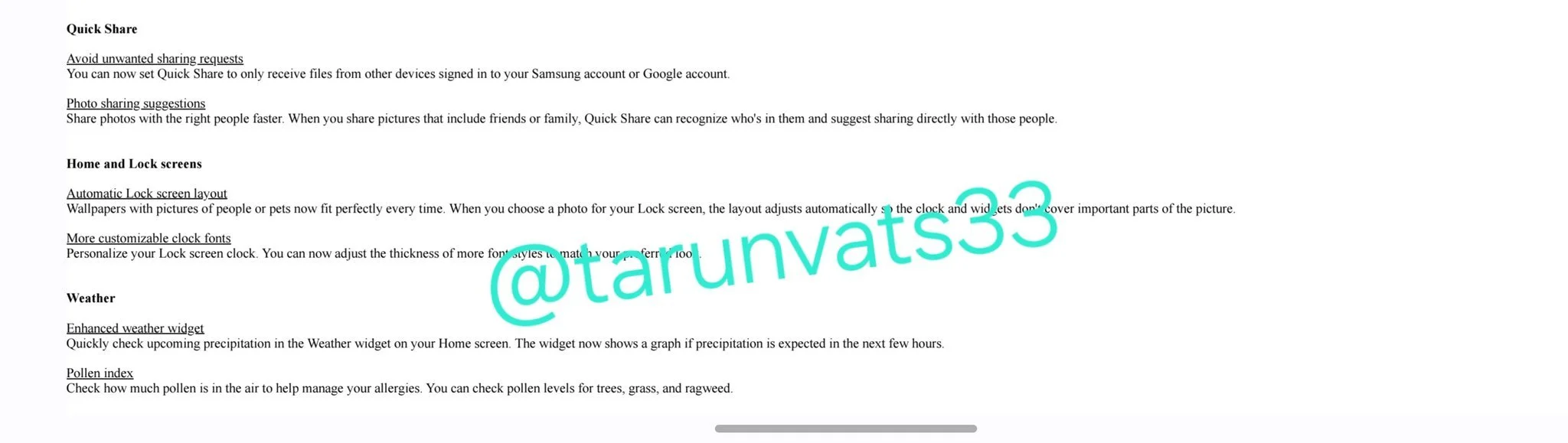
On the customization front, the Lock screen is getting an "Automatic Lock screen layout" feature. When you use a photo of a person or pet, the system will automatically adjust the layout so the clock and widgets do not cover the subject. You also get more customizable clock fonts and an enhanced Weather widget that shows a precipitation graph for the next few hours.
One of the most requested features for years has been better control over the Quick Panel, and One UI 8.5 will finally deliver it. The changelog lists a "More customizable quick panel" feature that goes beyond simple button rearranging. You’ll soon be able to "add, remove, reorder, and reorganize controls" in the quick panel exactly how you like.
Other Notable Changes
Quick Share: Now includes controls to avoid unwanted sharing requests and offers better photo sharing suggestions based on who is in the picture.
Accessibility: New settings allow you to control Bluetooth hearing aids directly from an accessibility shortcut.
Partial Screen Recording: You can finally select only a specific part of the screen to record rather than the entire display.
The leaked changelog focuses heavily on functional features, but recent leaks of One UI 8.5 running on a Galaxy Z Fold 7 reveal some significant visual interface changes that likely didn't make the text cut.
Specifically, Samsung appears to be testing a "floating window" design for large-screen devices. Instead of filling the expansive screen, elements like the Quick Settings panel and the Phone Dialer now appear as floating pop-ups when accessed. Along with that, expect to see lots of tweaks to animations, blur and transparency.
When Can We Expect It?
While Samsung has not officially confirmed the release date, leaks suggest the One UI 8.5 beta could kick off as early as this month for the Galaxy S25 series. The final stable release is expected to debut alongside the Galaxy S26 lineup in early 2026.
This update looks like it focuses less on visual flash and more on utility. Making Bixby smarter, connecting file systems across devices and refining battery tools are changes that actually improve the daily user experience.
