I Wanted to Like This.. Clicks Power Keyboard Review
When I am reviewing a device, sometimes it is hard to balance whether or not I am telling you if a product is actually good or not versus if I am telling you if I like it or not. It makes me question what I am really doing here, whether I am just speaking for myself and telling you what my favorite thing is, or if I am sharing information that is genuinely useful to other people in general. It is entirely possible for a product to be absolutely terrible for your specific daily workflow, while simultaneously being a great fit for someone else.
The Clicks Power keyboard is perhaps the most glaring example of this exact reviewer dilemma that I have ever encountered. It is an incredibly difficult product to pin down because it forces a stark divide between personal preference and general utility. While it has some undeniable flaws and struggles to find a logical place in my own daily carry, it is also the kind of highly specialized hardware that a specific subset of users might completely fall in love with.
Hardware & Build Quality
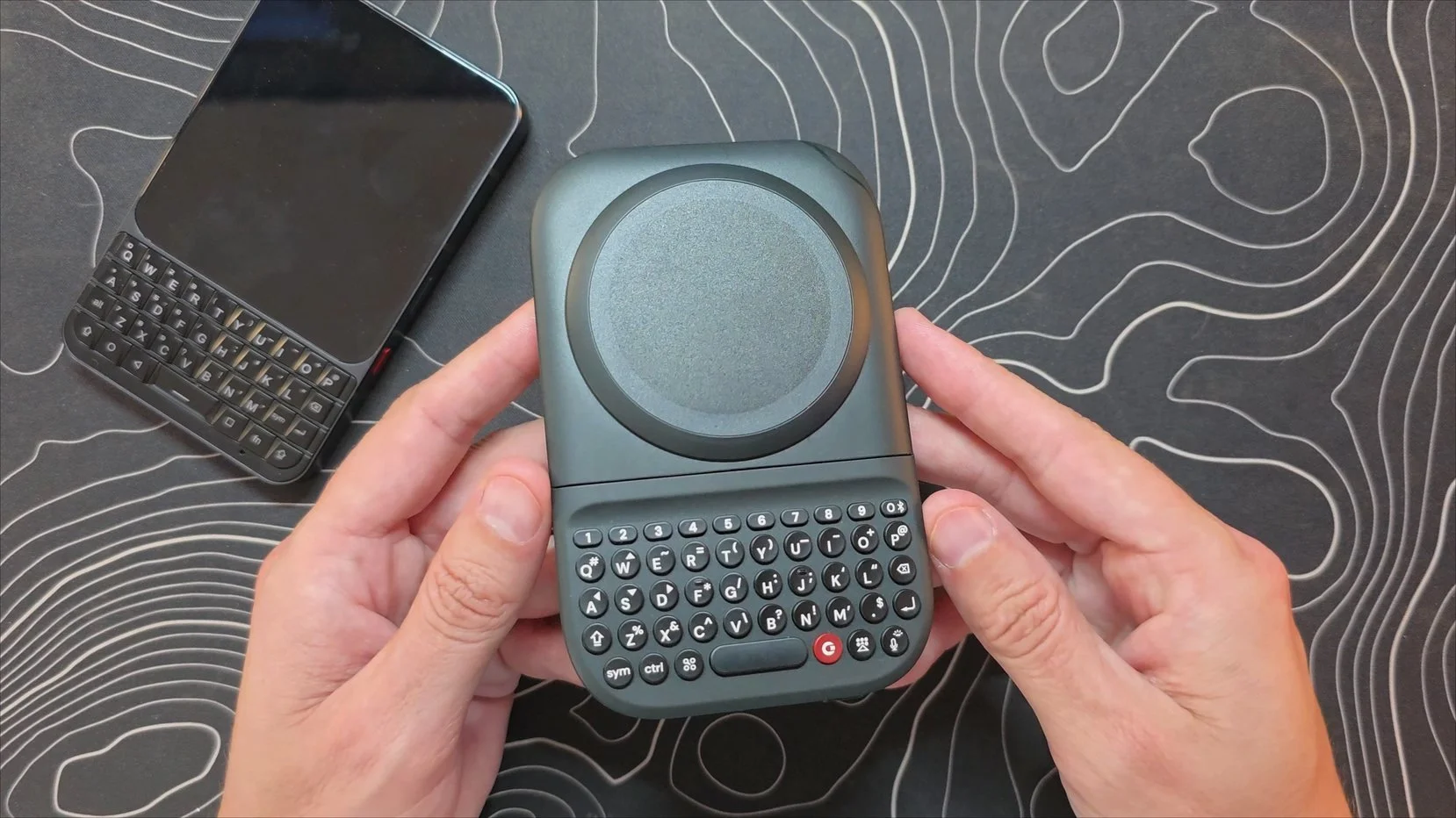
When you first pick up the Clicks Power keyboard, the immediate impression is that the overall build quality is quite decent. The materials feel solid in the hand, and the actual typing experience is excellent, the physical keys are clicky, tactile, and highly responsive.
However, the hardware choices come with massive compromises. The most unavoidable issue is the pure weight and mass. Tipping the scales at roughly 184g, this is an incredibly heavy accessory. To put that into perspective, it is remarkably similar in footprint to the Unihertz Titan 2 Elite, but it is actually heavier than that entire self-contained smartphone, which weighs only 163g. Using this accessory means you are essentially strapping the weight of a second phone onto the back of your existing device. When paired with a large phone like the Pixel 10 Pro Fold, the combined setup quickly becomes entirely too heavy to comfortably manage.
To make this work comfortably, you really need to target a thin, light device. This is the first real place where my own personal preference comes into play, because I am a massive advocate for folding phones, and those devices naturally tend to be on the heavier side. I am simply not the target customer for this, as I have no real interest in giving up my foldables to use a standard, ultra-thin slab phone.
Even if I were to step away from a foldable, my choice wouldn't be to attach this massive accessory to a regular phone. If I want a device with a physical keyboard, I am much more likely to just use a dedicated keyboard phone to avoid all that unnecessary heft. Look at the options: I could either switch to a slab phone and attach this keyboard to the back, leaving me with a setup that is still incredibly thick and heavy, or I can just carry a dedicated keyboard phone like the Titan 2 Elite. Ten out of ten times, I am just going to pick the Titan 2 Elite.
The other major hardware downside is the slider mechanism. There is a noticeable amount of physical play and slack between the main keyboard housing and the magnetic attachment plate due to the design of the sliding channels. While that slight movement doesn't totally ruin the typing experience, it has already loosened up more within just the first day of use, which raises some real red flags about how the mechanism will hold up over time.
Additionally, that telescoping design introduces some pocket friction. When the keyboard is attached and tucked away, pulling it out often accidentally triggers the extending mechanism because your hand naturally grabs the keyboard section first, causing it to slide out and pull away from the phone rather than coming out cleanly as a single unit.
Even if you do pair this with a very thin phone, it is incredibly difficult for me to imagine anyone actually leaving this thing attached to their device for any significant amount of time. The sheer thickness, heft, and weight it adds simply make it too much of a burden for a permanent daily setup. Realistically, the only reasonable way I could see myself using this thing on the go would be to treat it as a temporary accessory, carrying it in a separate pocket and only attaching it when I know I have a long typing session ahead, then immediately ripping it back off when I am done.
However, when I think about pulling an accessory out of another pocket that comes very close to the size and weight footprint of a Unihertz Titan 2 Elite, attaching it to the back of my phone just to type doesn't quite click for me. To me, if I am already dedicating that extra pocket space to something that big and heavy just to get a physical keyboard layout, it makes far more sense to just put my Titan 2 Elite in that other pocket instead. In my own daily workflow, I would much rather just carry two dedicated devices than carry my phone and a massive plastic attachment to snap onto it. Granted, a full smartphone like the Titan 2 Elite is significantly more expensive than this simple accessory, but for my specific layout, carrying a dedicated second device simply lines up better.
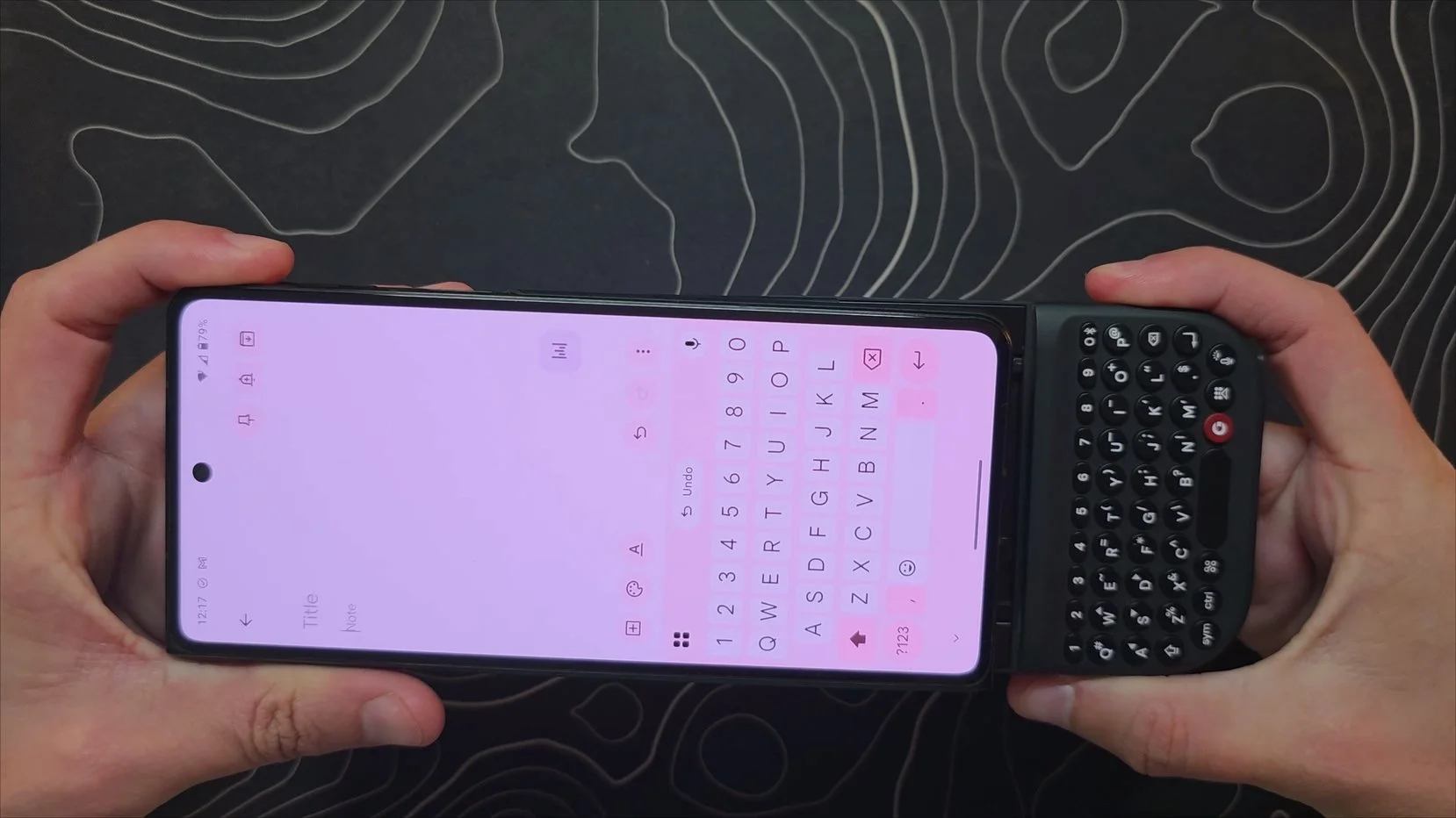
That said, there is one massive exception to this rule where the attached layout completely surprised me, and it comes right back to the foldable form factor. While leaving it permanently attached to the back of the phone is a no-go for me, actually sliding it onto an opened, fully unfolded device for a dedicated, stationary writing session turns out to be oddly enjoyable. It creates a massive, completely uninterrupted writing canvas. Because your phone detects the physical hardware, your software keyboard never pops up to block the bottom half of the display, giving you an absolute ton of screen real estate to just focus on your words.
Typing Experience
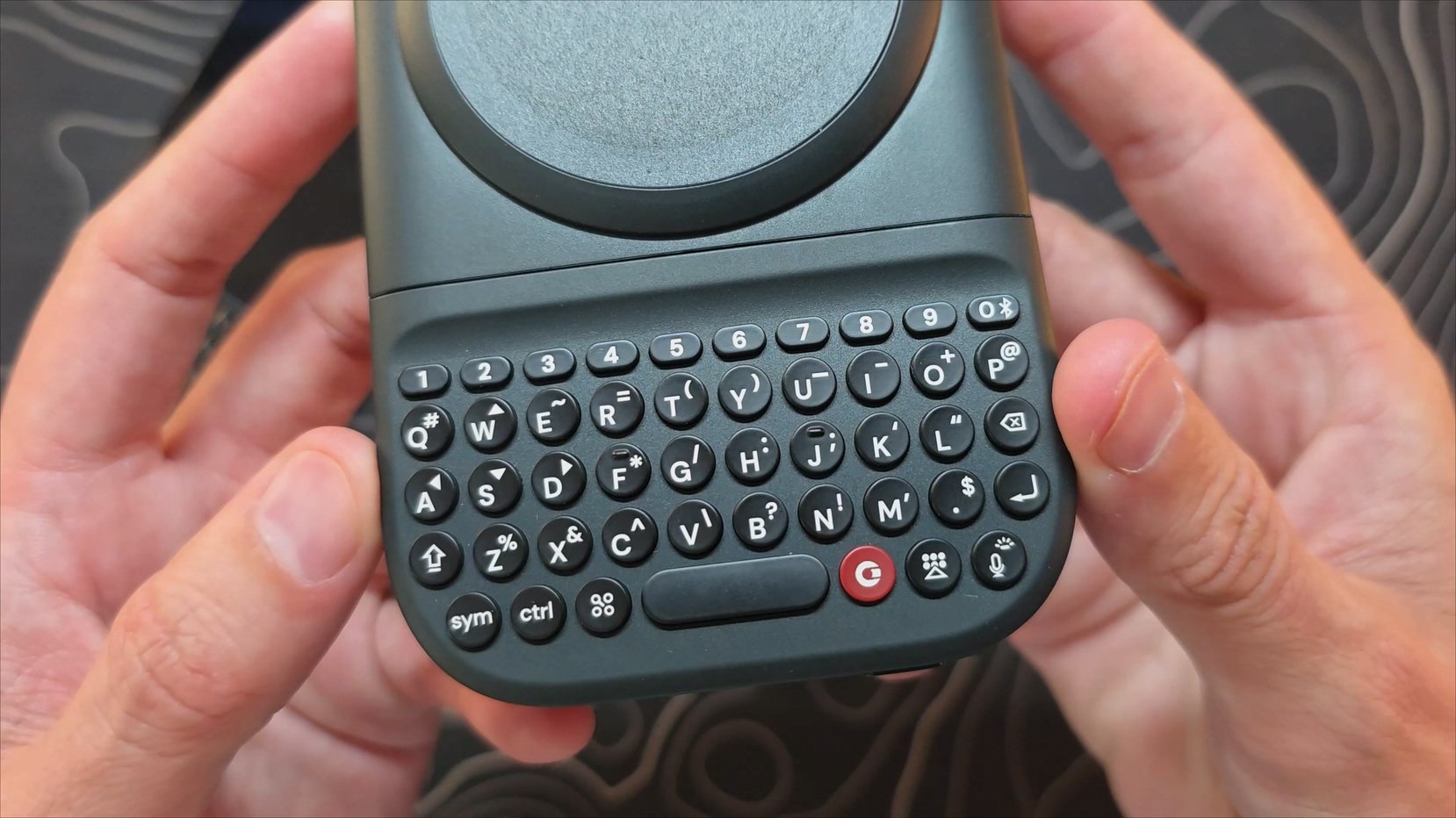
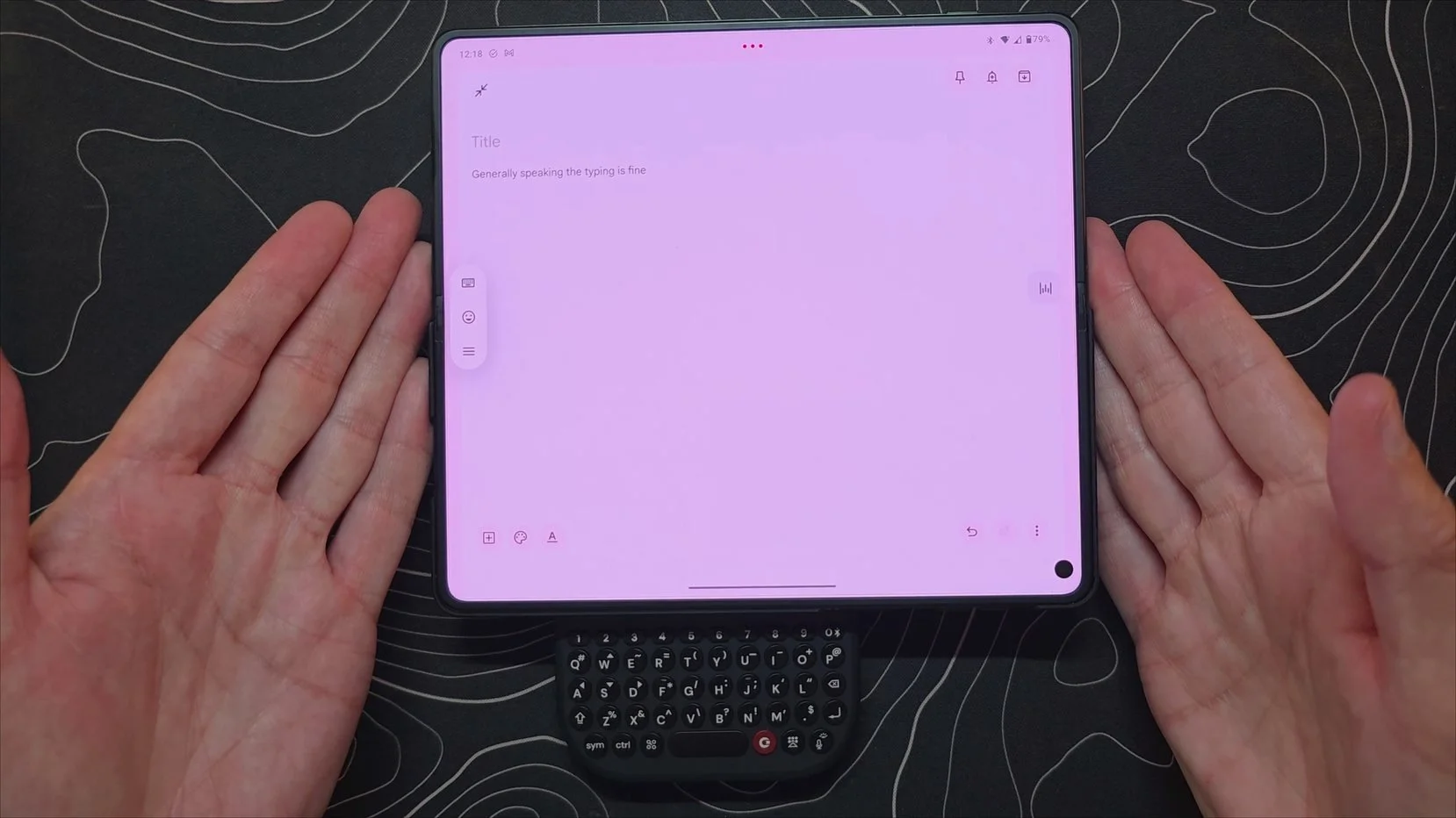
The best thing about this accessory is the actual act of typing on it, which is an area where it genuinely shines. The physical layout feels instantly familiar, mimicking the experience of a dedicated keyboard phone, and I found myself flying through text pretty quickly. The individual keys offer a highly satisfying tactile experience, they are clicky, exceptionally responsive, and feel great under the fingers.
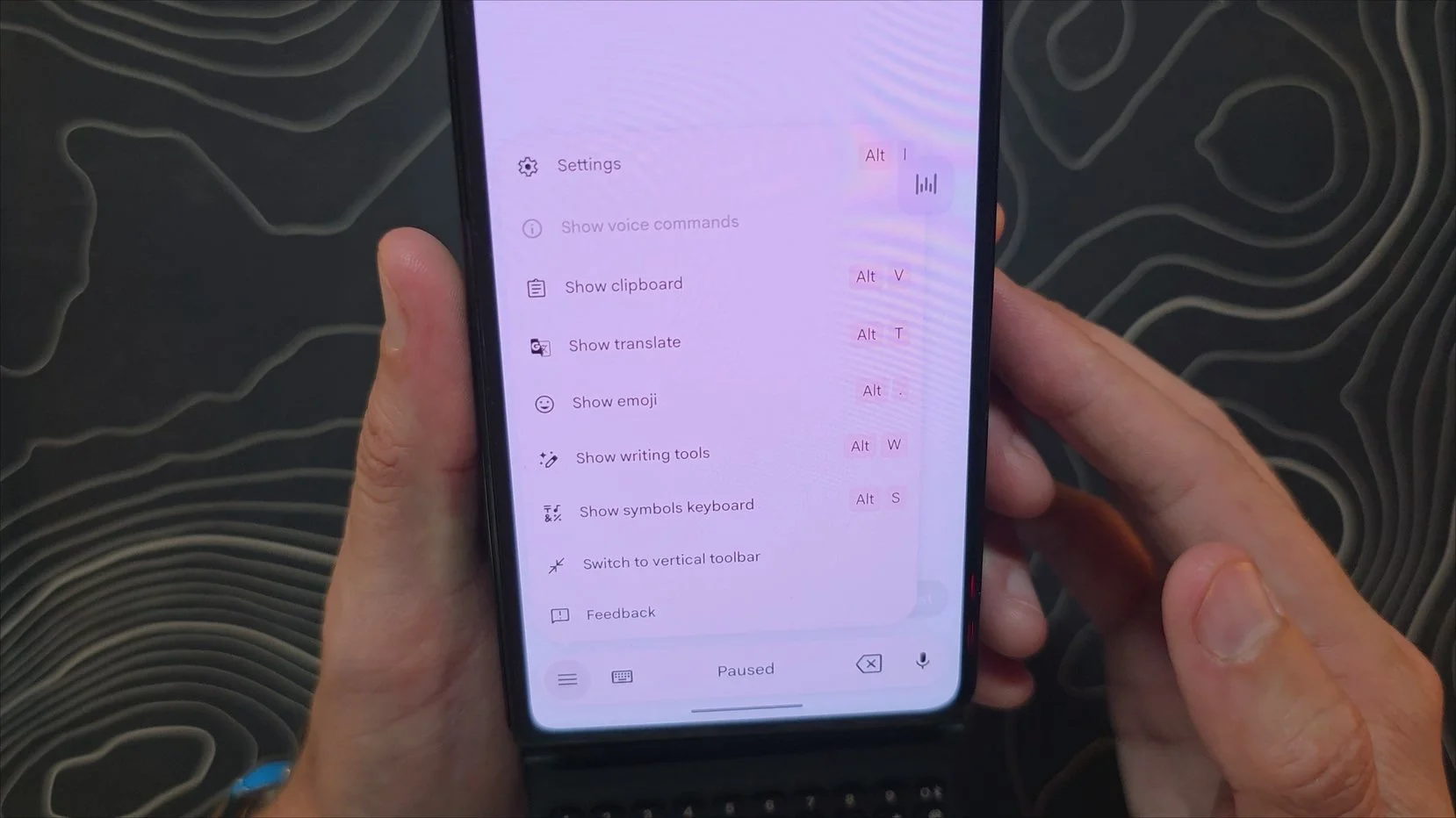
Software integration also keeps the typing flow smooth. Because the accessory leaves all text prediction, autocorrect, and spellchecking duties up to whatever keyboard software your phone defaults to, pairing it with Gboard works flawlessly. You get the familiar physical hardware feel combined with Google's robust software correction, meaning you don't have to deal with the clunky, unpolished typing software that often plagues standalone niche devices.
However, the physical comfort of typing changes a bit depending on how you use it. When you hold the keyboard by itself, disconnected from the phone, it doesn't feel particularly heavy, and the balance is actually quite comfortable.
The moment you slide the keyboard onto the back of a smartphone, things do shift. Because the entire setup becomes quite tall, you get a bit of a top-heavy lever effect in the hand, and that total combined weight just starts to feel like a little bit much. Ironically, the accessory's massive 184g base weight might actually be a deliberate design choice to try and counterweight some of that leverage from the phone, giving you bulk down low to keep things anchored. I almost wonder if the device were lighter if the top heaviness would feel even worse, though it is hard to say for sure.
Of course, you can rotate your phone into landscape orientation to type, which does change the leverage dynamic and helps with the physics of the ergonomics quite a bit. The problem is that most mobile applications simply don't handle landscape mode well on a phone. Most apps are not optimized to be displayed on a screen that is that insanely wide, so the formatting of your text fields can get incredibly weird and stretched out. Because of those software limitations, it is really hard to see rotating the device as a viable everyday solution.
While managing that extra leverage up top in portrait mode can feel like it is adding to the slider mechanism wobble, and the total vertical weight is probably going to be too much for most people to deal with daily, the typing itself stays totally usable. It is just a noticeably different balance than the comfort you get when holding the keyboard on its own.
Use Cases & Multi-Device Pairing
Since it became almost immediately evident that attaching this to the back of my folding phone for daily use was just not going to happen, and because I am completely unwilling to switch to a standard slab phone just to use an accessory, I had to explore other ways to integrate this device into my workflow.
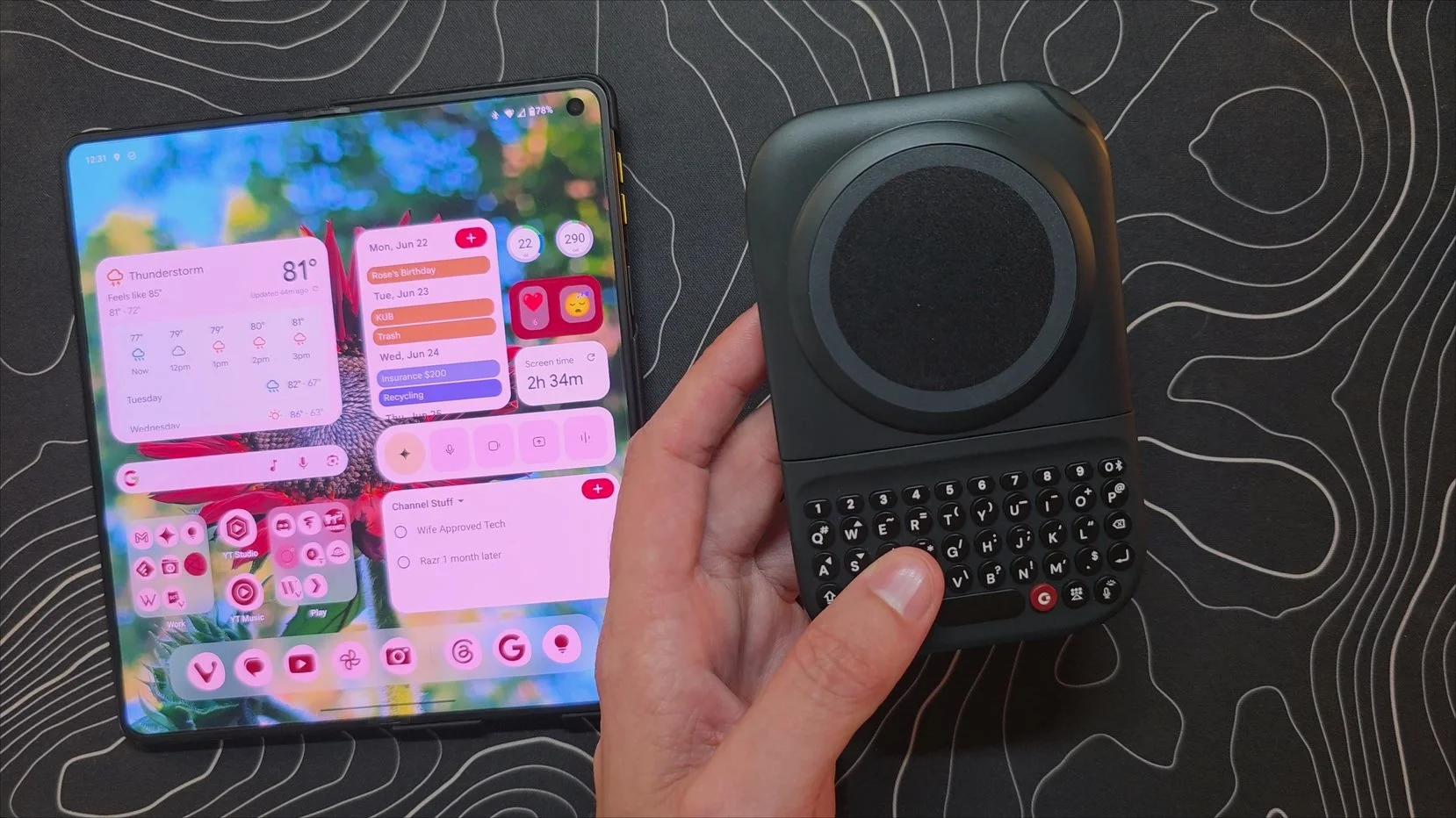
That exploration led to some surprisingly interesting setups, starting with using it as a detached input device. If you prop your phone up in a stand and use the keyboard completely separate, the physical experience is excellent. However, you quickly run into major mobile software barriers. Most Android apps are built strictly for touch and completely lack optimization for physical arrow key navigation. Because this keyboard doesn't have a trackpad or capacitive touch capabilities for scrolling and cursor control, you are constantly forced to reach out and touch your phone screen anyway. It begs for capacitive keys. Without them, if you want a remote setup on a desk, a small portable mouse and keyboard combination makes a lot more sense.
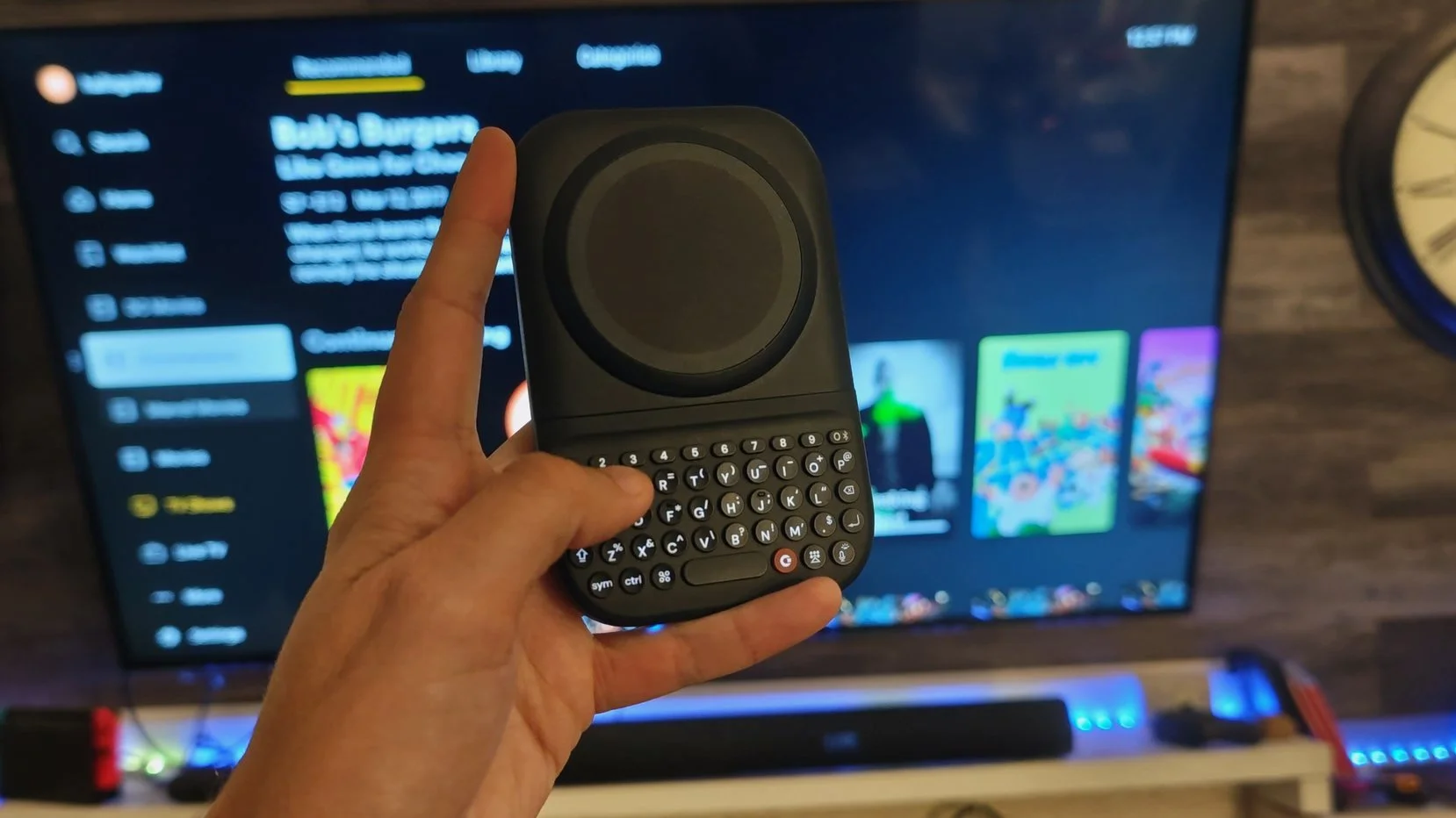
Interestingly, taking that detached concept over to the living room completely changes the dynamic. Using the keyboard as an input device for my TV works significantly better. Standard TV interfaces are already built entirely around d-pad navigation, so the physical arrow keys on this device interface perfectly with the menus, turning it into a fantastic, clicky remote for searching and navigating streaming apps.
This lifestyle of jumping from device to device is actually where Clicks built in a genuinely awesome feature, nine-device Bluetooth pairing. Instead of being locked to a single phone, the keyboard lets you map an entire ecosystem of hardware across the number row keys (1 through 9). To switch connections on the fly or initiate pairing in a specific slot, you just hold down the physical power button on the bottom of the keyboard and tap the corresponding number key. If you accept the reality that this accessory isn't going to be permanently stuck to the back of your phone all day, this multi-device profile system becomes incredibly practical. You can drop it onto your phone to quickly hammer out a long text message, hold power and hit a number to switch over to your tablet, and then jump straight to your TV setup to look up a movie, all without ever messing around in a Bluetooth settings menu.
Managing all of this configuration falls on the companion Clicks app, which is fairly customizable when it comes to fundamental hardware control. Inside the app, you can easily adjust the brightness of the keyboard backlight or turn it off entirely to save juice. It also houses the master toggle to activate or deactivate the wireless charging feature completely, alongside a slider that lets you dial in your specific battery reserve. You can even set up custom hardware shortcuts tied to your number keys, though you are heavily restricted to a pre-selected handful of utility options. You cannot just map a number key to open any app you want. Instead, you are limited to basic, system-level toggles like mapping an escape key, volume adjustments, or media playback controls.
When you step outside of the companion app, the keyboard relies on stock, built-in Android keyboard shortcuts using the dedicated Meta key, and the execution here is a bit of a mixed bag. On one hand, having physical keys lets you trigger native system commands instantly. Pressing Meta plus B successfully launches your default browser, and Meta plus S pops straight into your messages app. On the other hand, there is some genuinely weird software mismapping and broken functionality out of the box. For whatever reason, the stock shortcut to open the calendar completely fails to launch, and the calculator shortcut is totally non-responsive. Even stranger, the Meta plus A shortcut, which is explicitly intended to launch the Gemini AI assistant, opens up my calculator instead. The broader point is that if you are coming from dedicated keyboard phones where you can deeply customize every individual key to launch any application or custom script in your library, this accessory is going to feel incredibly bare-bones. It simply lacks that deep level of software integration.
Charging & Battery Life
The "Power" part of the Clicks Power keyboard name comes down to its built-in battery pack, but in practice, the execution leaves a lot to be desired. The device packs a small 2,300 mAh internal capacity that outputs wirelessly to your phone at a very slow 5W Qi wireless standard.
In a real-world test with my Pixel 10 Pro Fold, the keyboard managed to push the phone battery from 26% to 29% over the course of 10 minutes. That is incredibly sluggish. It is also important to note that this test was done while the phone was sitting completely idle on a desk. If you are actively using your device to type out an article, stream media, or multitask, that 5W output is likely going to struggle just to keep your battery level steady rather than actually gaining any ground.
At this size, a dedicated portable power bank easily hits 10,000 mAh and pushes 15W or more, meaning this accessory is absolutely not a true substitute for an actual battery pack. It is strictly a last-ditch emergency reserve.
From a design perspective, the whole inclusion of phone charging feels like a misstep. Clicks probably would have been much better off dropping the wireless power bank feature entirely. Removing that component would have allowed them to trim down the thickness and shave off a massive chunk of that 184g weight penalty, letting the internal battery focus solely on keeping the keyboard itself powered up for a month at a time.
Conclusion
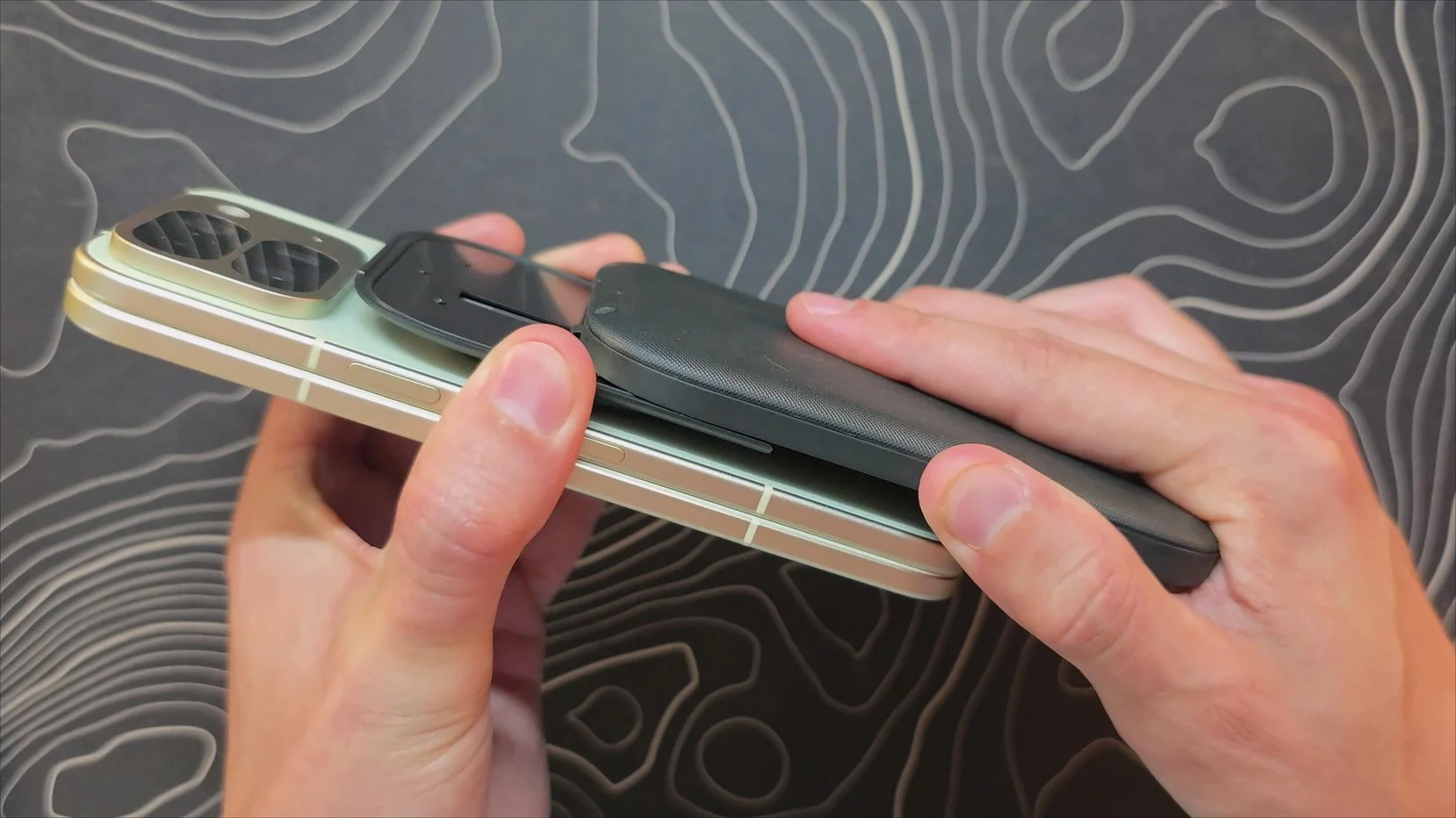
I love keyboard phones. At this point, that is a pretty well-established fact. However, the fundamental problem with the Clicks Power keyboard is that it doesn't actually make my foldable feel like a keyboard phone, nor does it make a standard slab phone feel like one either. There is a very specific reason that dedicated keyboard phones aren't just standard slab phones with a keyboard slapped onto the bottom, and there is a reason they don't weigh over 300g when combined.
Instead of recapturing that classic, integrated typing experience, this accessory just turns a normal phone or a folding phone into a heavy, ergonomically awkward setup. While there is undeniably some utility when you use it completely detached from your device, you can almost always find a different accessory that is better suited for each specific scenario. If you want an easier way to input text on your living room television, you can easily buy dedicated media remotes with built-in keyboards. If you want a mobile, desk-bound writing station for your phone, a compact folding keyboard and trackpad combo with a built-in stand is going to provide a much more functional experience.
Ultimately, despite the solid build quality and the genuinely great feel of the keys themselves, it is just incredibly difficult for me to find a real-world use case that truly justifies this device's existence.
Like I pointed out earlier, that doesn't mean you won't be able to find a unique use case for it yourself, and it certainly doesn't mean you aren't going to enjoy it if you buy one. But for my workflow, it is just not an accessory that I can find any real usefulness in keeping around.
