Google Continues Frosted Glass UI Push with Android 17 QPR1
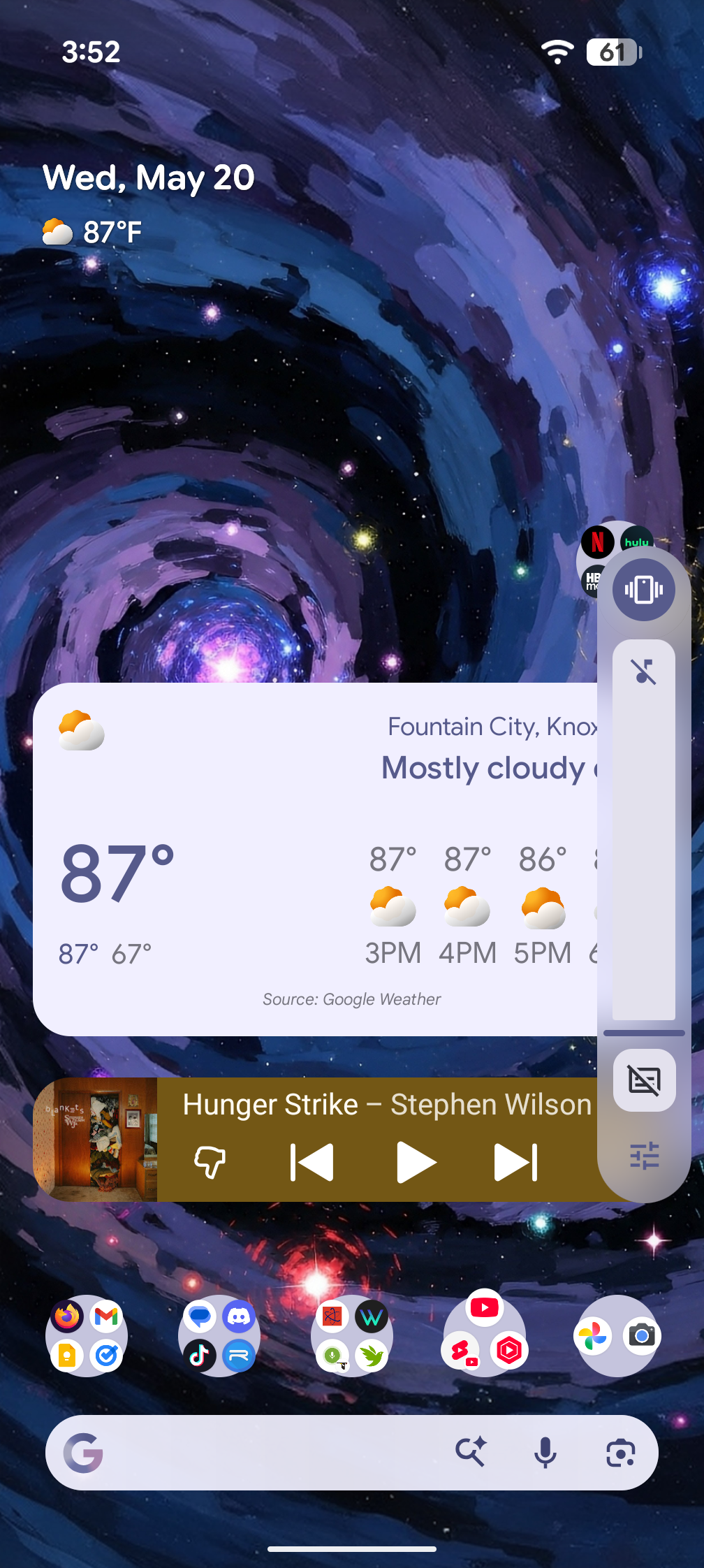
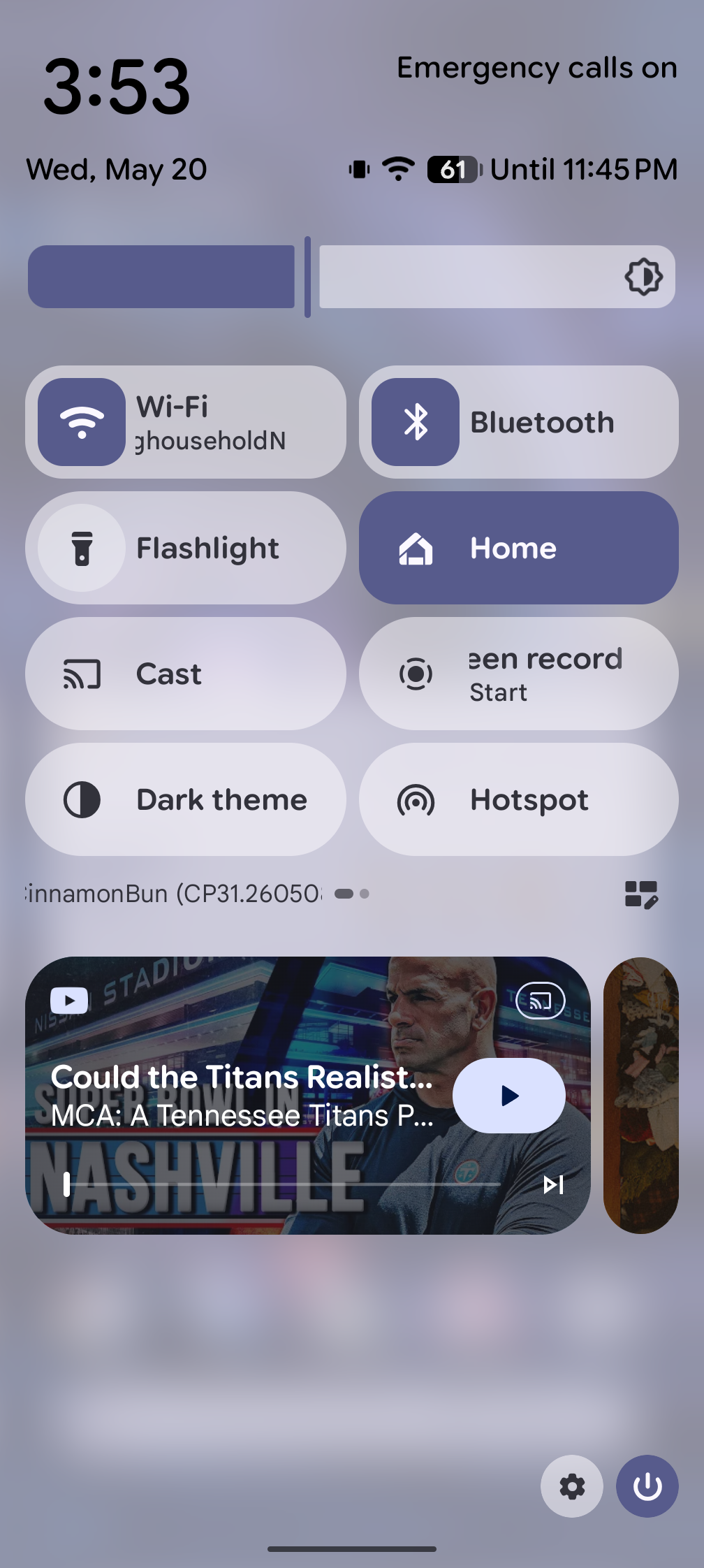
Google just rolled out Android 17 QPR1 beta number three, and it brings a whole bunch of fresh frosted glass transparency effects and animation tweaks to the Material You expressive redesign. The interface updates look absolutely fantastic.
Testing was done on a Pixel 9 Pro XL. Interestingly, when trying to view these updates on a first-generation Pixel Fold, none of the transparency effects showed up. It is possible the Tensor G2 chip is simply too old for this much transparency, or maybe the features just aren't headed to that hardware. To actually see these new elements, the beta had to go onto the 9 Pro XL.
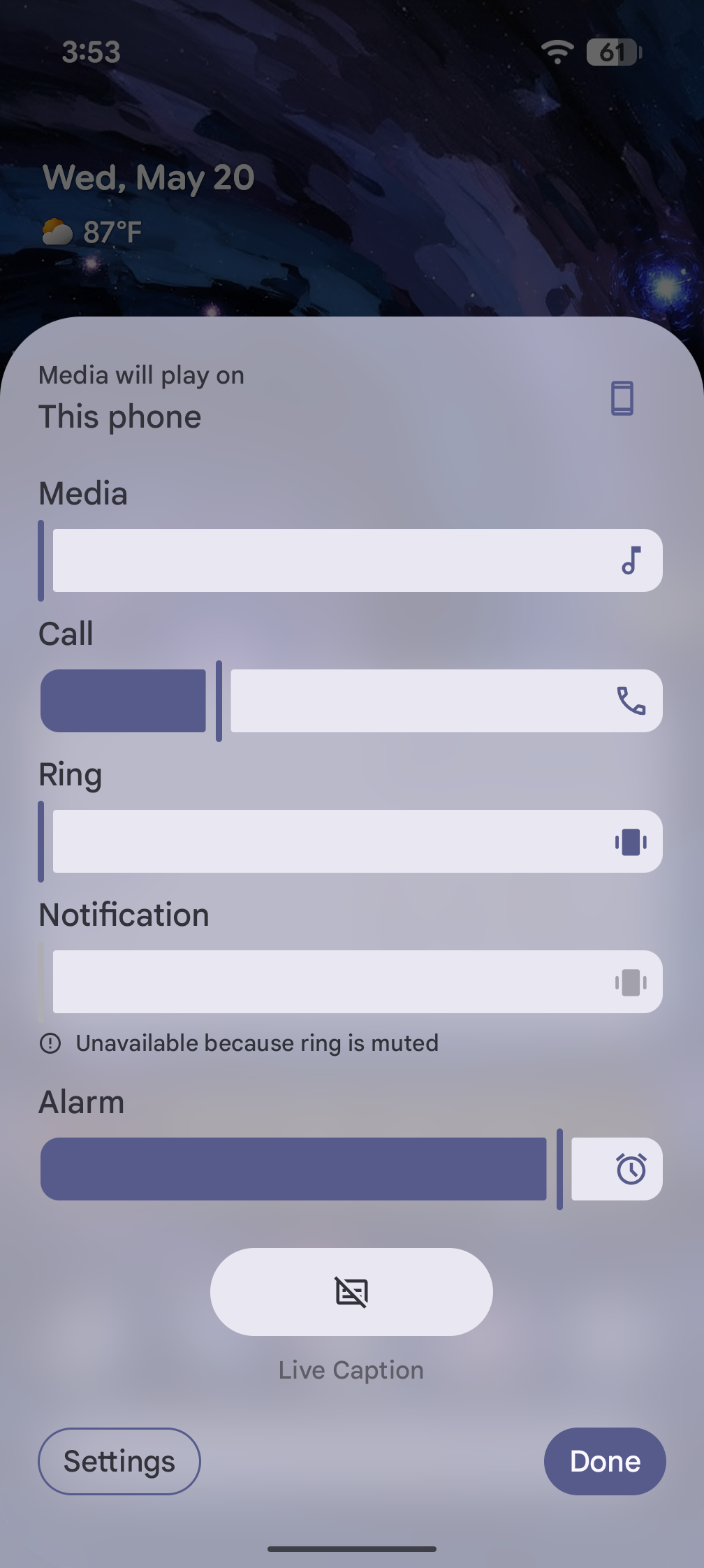
First up is the volume slider. When it pops out, the background is completely transparent with a sleek frosted glass look. Clicking the settings icon slides up the full mixer, which now shares that identical transparent style.
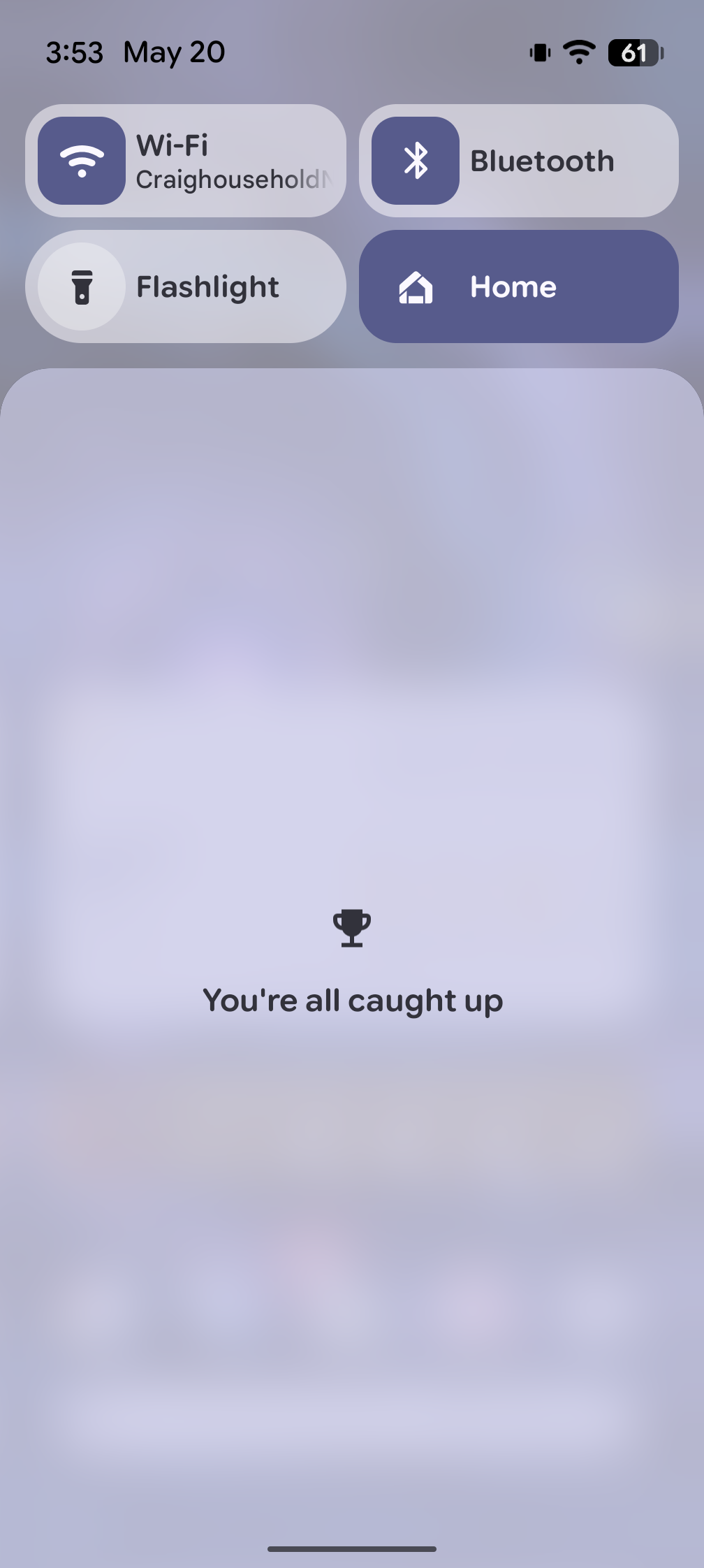
Swiping down from the top to access quick settings reveals immediate animation changes. The second swipe down triggers a transition that feels much bouncier and floatier. Google also updated the notification text, changing the old wording to a clean "You're all caught up" message.
The media player card received similar love. Dismissing a track involves a bouncy aesthetic where the card resists initial movement before snapping smoothly out of place. When multiple media tracks are playing, the media player card stacks them so you can see one card tucked behind the other, utilizing a smooth animation to transition back and forth.
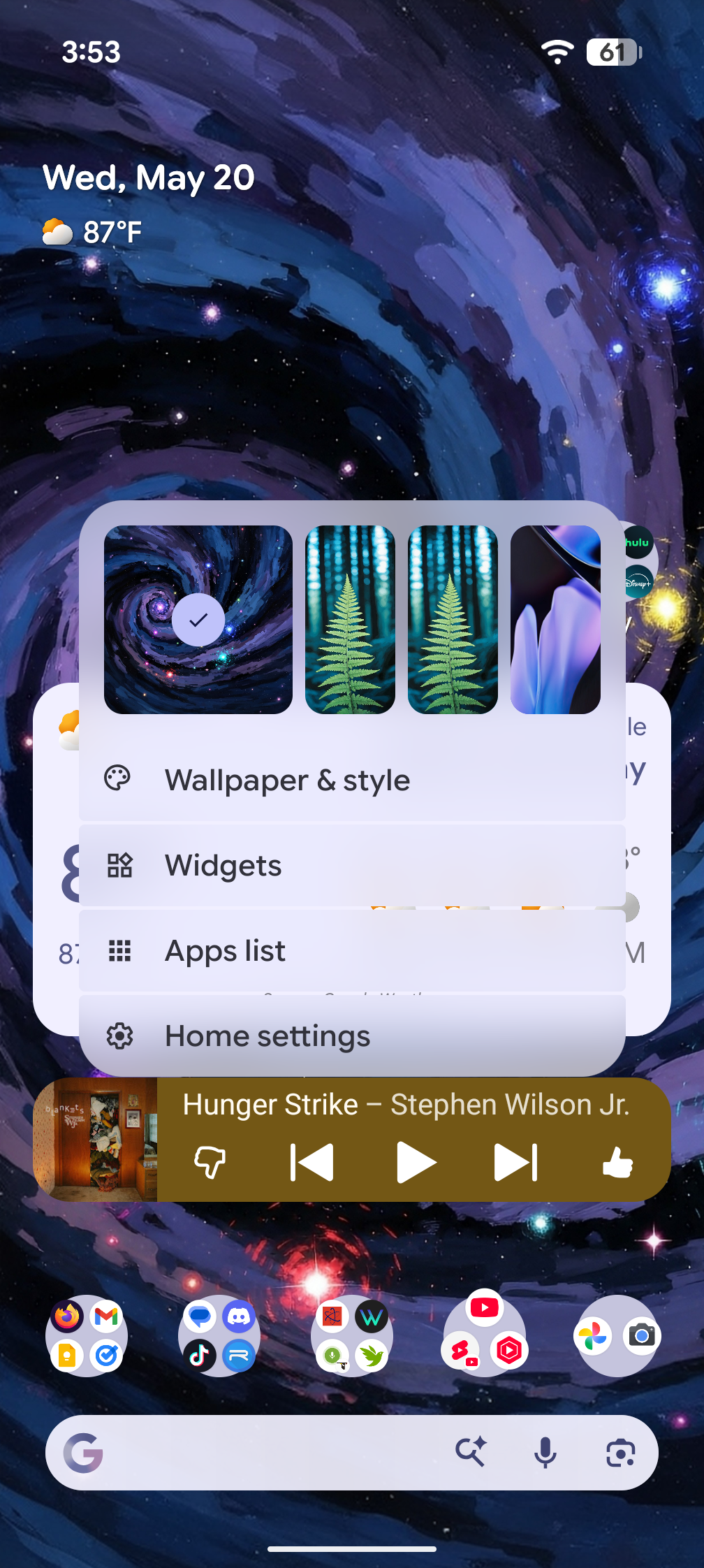
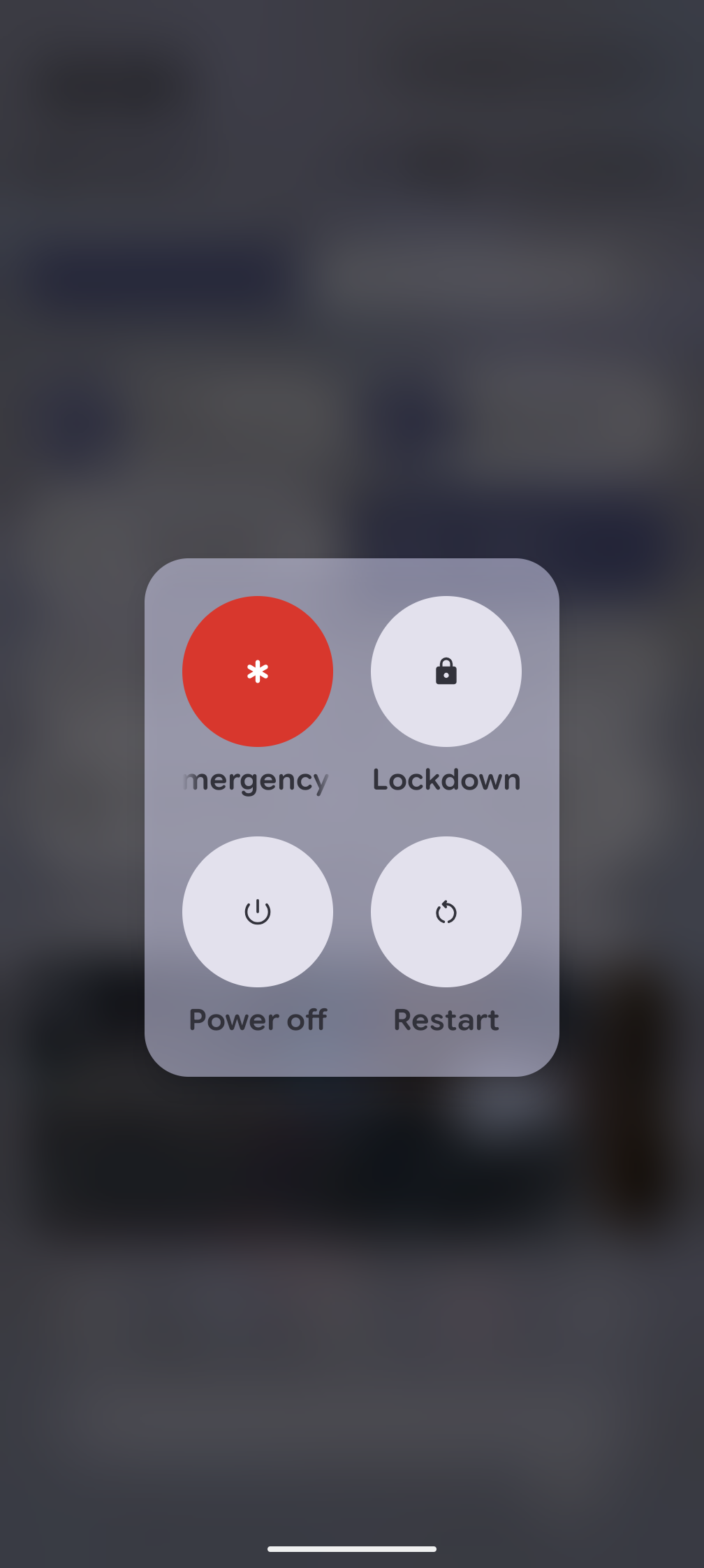
The power menu, accessed via power and volume up, now overlays a soft, blurred background instead of a simple solid square on top of the screen. Long-pressing the home screen to bring up the wallpaper and style picker opens up even more frosted glass texturing.
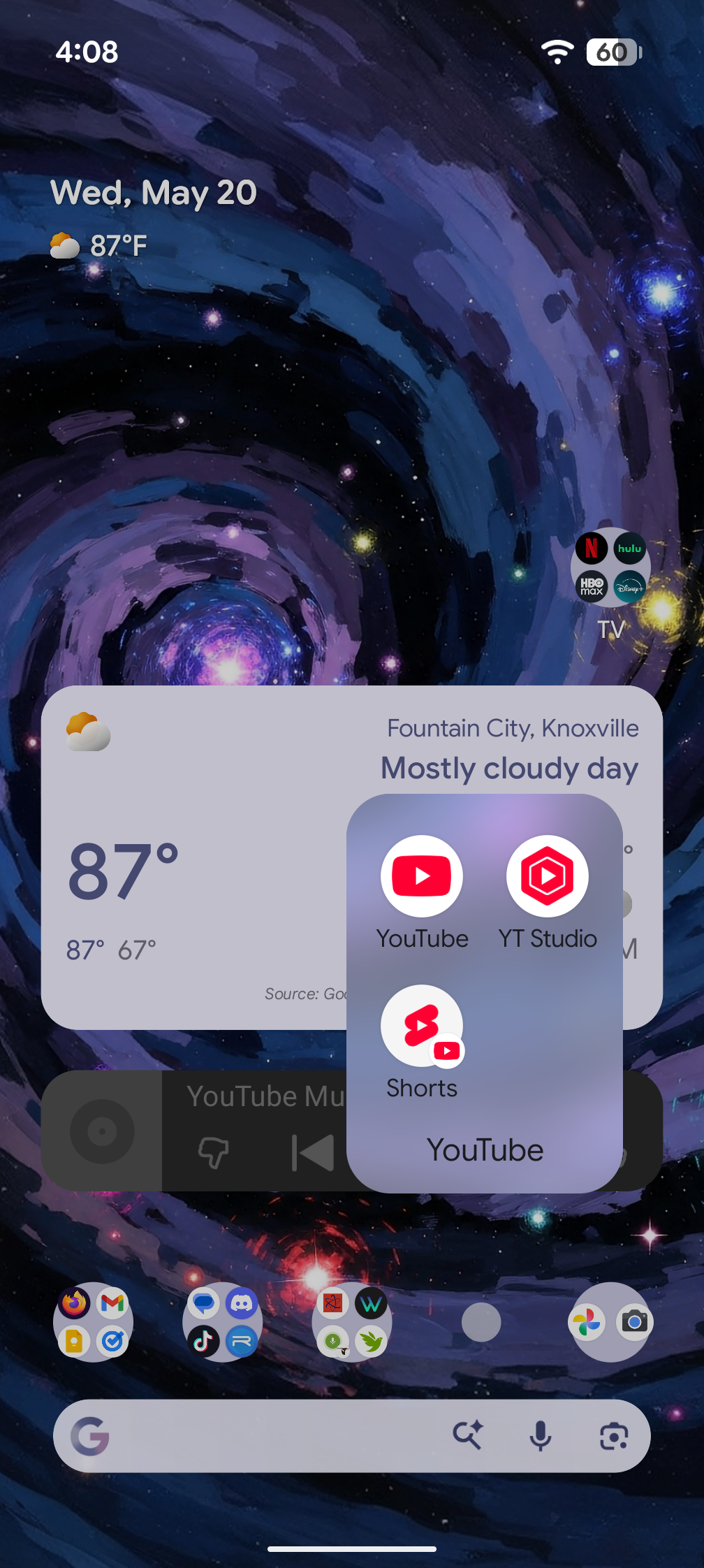
There is one visual change that feels a bit odd. On the home screen, app folders still show a solid white background icon. When opened, the folder expands into a transparent frosted glass window. The sudden transition from white to frosted glass feels slightly mismatched, and a uniform background across both states might look cleaner.
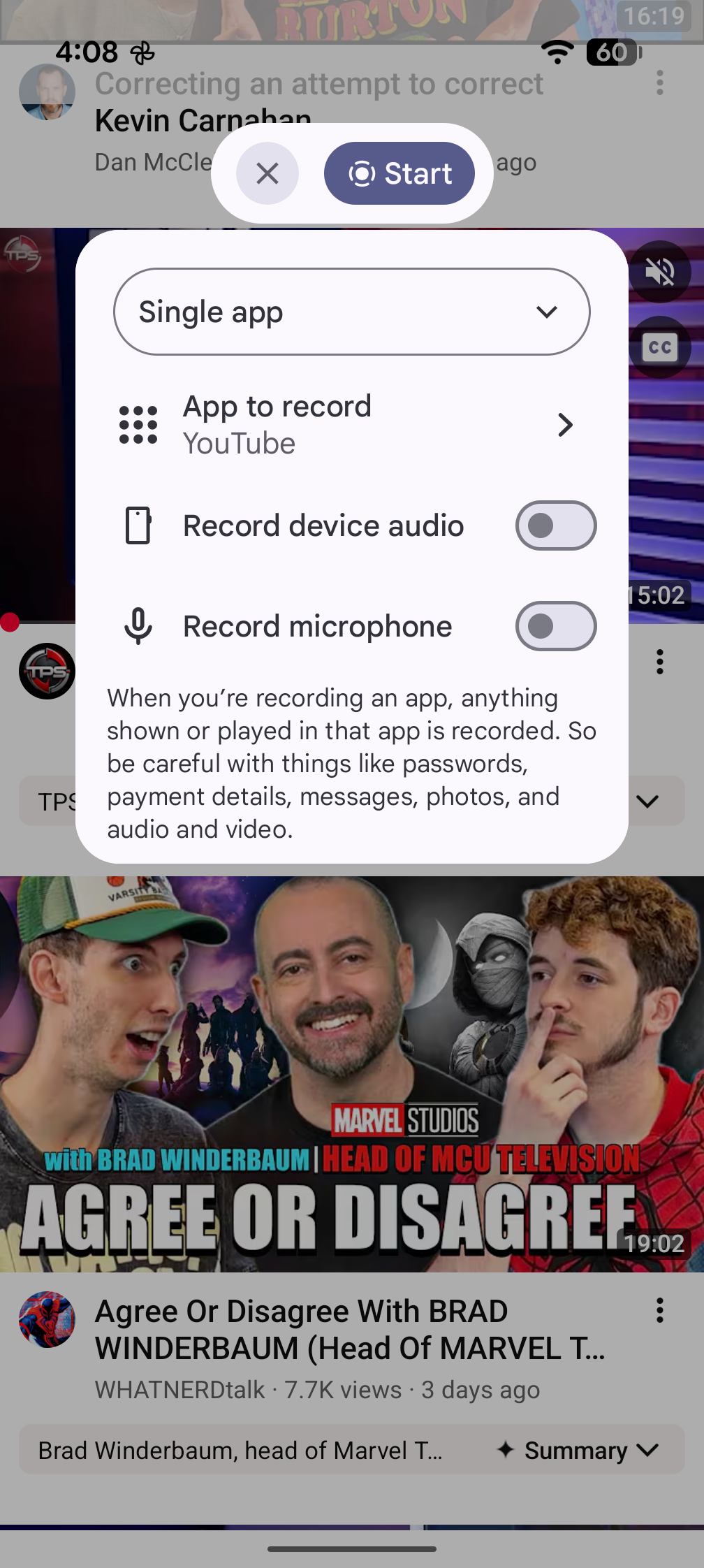
Beyond aesthetics, the screen recorder tool received a smart functionality upgrade. It now defaults directly to the specific app currently open on the screen. Users can still manually toggle the setting back to recording the entire screen, but prioritizing the active app is a smart default choice.
Google deserves a lot of praise for carving its own path with the look and feel of Android. The interface avoids copying iOS styles or mimicking liquid glass. The unique shapes, flourishes, and animations give the Pixel experience a distinct identity. Seeing these refinements makes a strong case for running the software on a primary device, like a Pixel 10 Pro Fold, once it hits the stable channel.
Enrolling in the beta is incredibly straightforward by visiting google.com/android/beta, scrolling down to an eligible Pixel device, and opting in. However, entering the QPR beta track means sticking with it until the stable public release drops. Trying to opt out early forces a system downgrade, which completely wipes the device. Unless a total device wipe or riding out the beta cycle sounds appealing, it is best to stay off the beta track.
