Top 8 One UI 8.5 Features
The beta is officially over, and One UI 8.5 is finally rolling out to the public. The stable update is landing on several Galaxy devices right now, including the S25 series and the latest foldables. In this article, we are going to look at the top 8 new features included in this massive update.
Fully Customizable Quick Settings Panel
The first major change in One UI 8.5 is the fully customizable Quick Settings panel. Samsung has finally moved away from the rigid layout of previous versions, giving you total control over how your toggles and sliders are arranged. You can now resize individual buttons, move the brightness and volume sliders anywhere you want, and even group specific settings into custom folders. Whether you want a minimal look with just the essentials or a packed grid of every tool available, the new layout engine lets you build a panel that actually works for your specific workflow.
Floating Windows for Large Screens
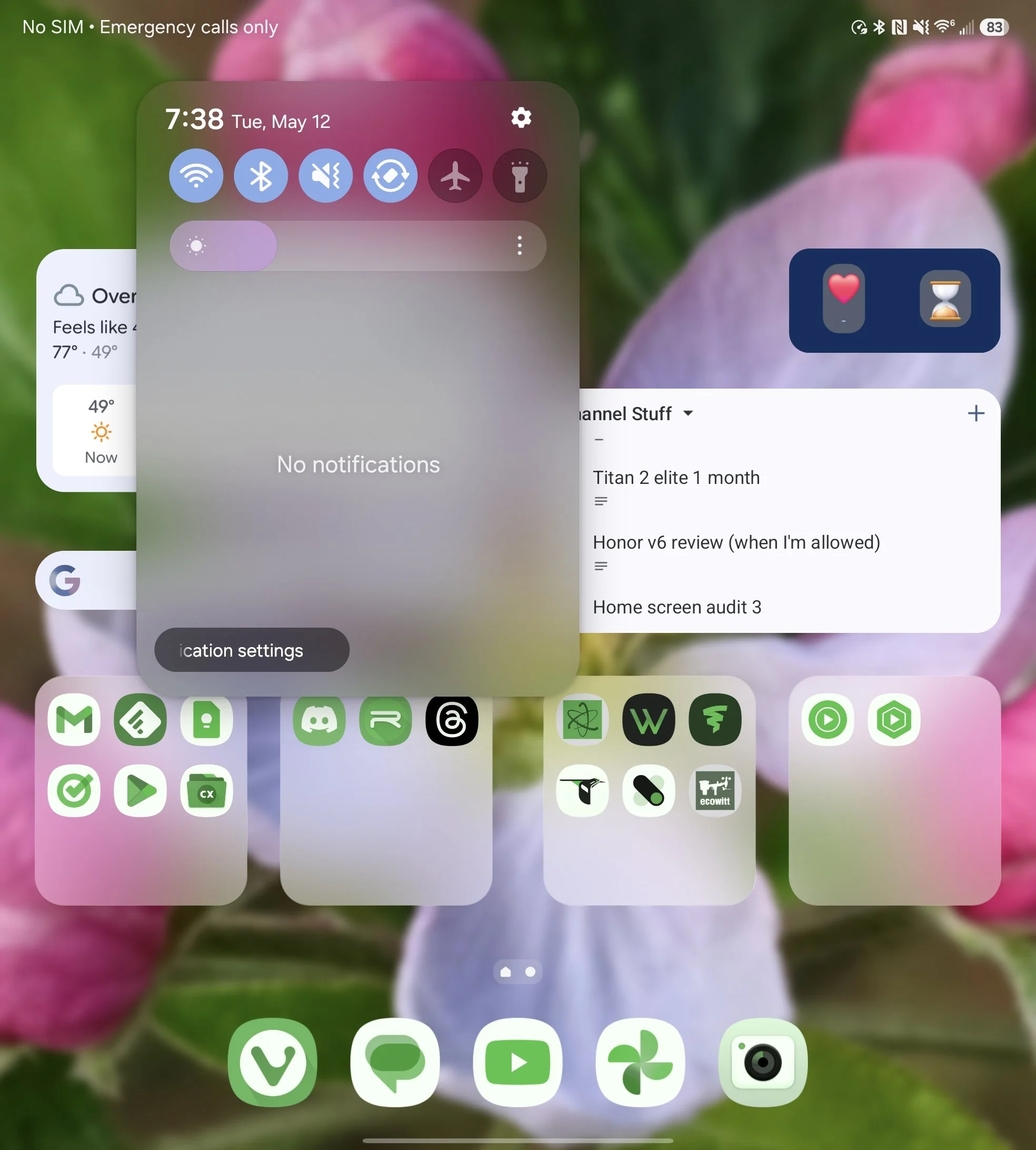
Next up, we have the new floating windows for large screen devices like the Z Fold 7. When you are using the massive inner screen, the notification panel and quick settings no longer take up the entire display. Instead, they appear as a floating window that appears wherever you swipe down, which leaves the majority of your background and apps still visible. While I am still not the biggest fan of this look, there is no denying that it is one of the most significant visual shifts in this update.
Quick Share and AirDrop Compatibility
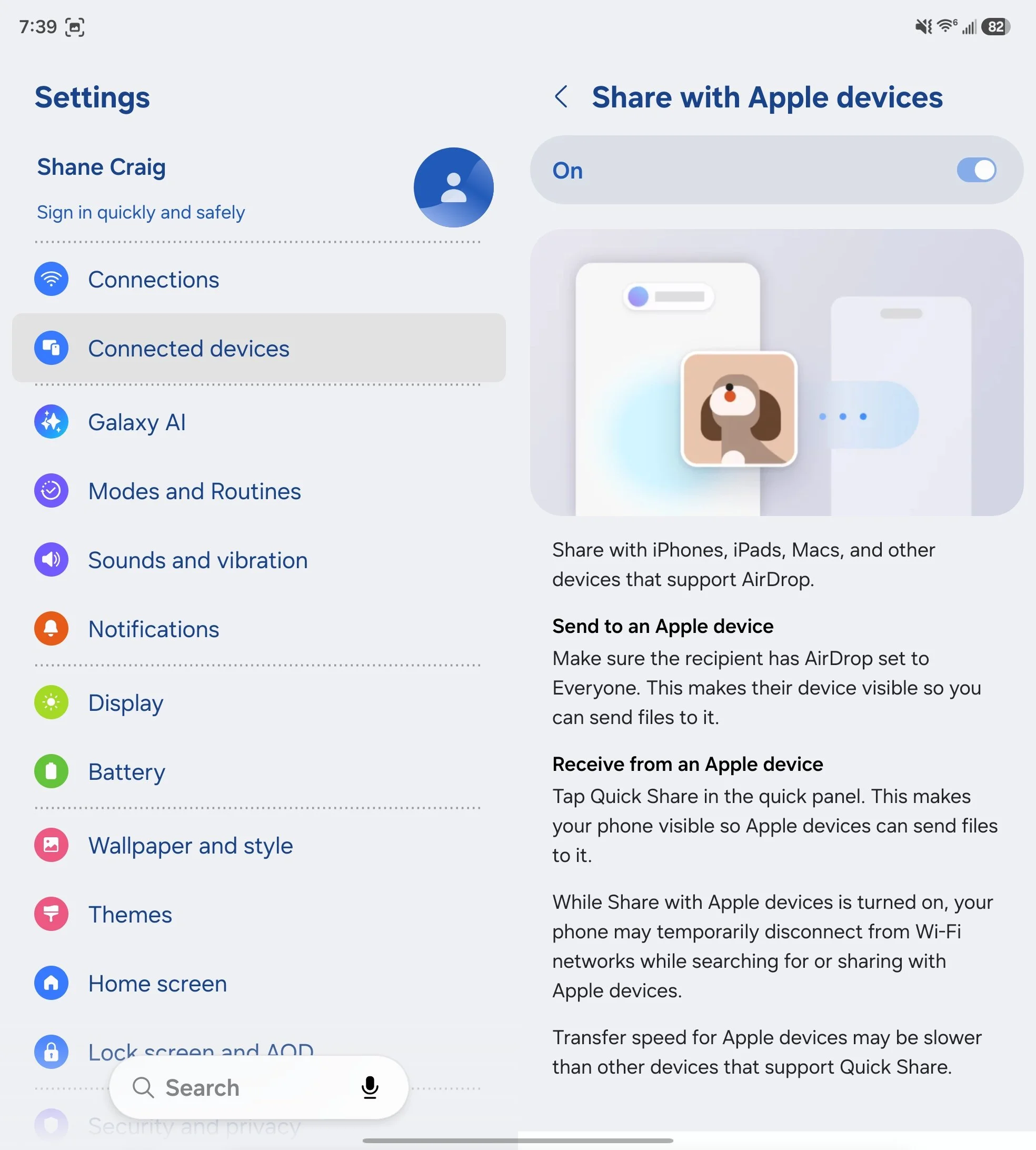
For item number three, we have a literal game-changer for a lot of people: Quick Share is now compatible with Apple devices through AirDrop. This update removes one of the biggest hurdles between the two ecosystems, allowing you to share files, photos, and videos directly to an iPhone, iPad, or Mac. On the Apple side, the transfer appears just like a standard AirDrop, making it seamless for your friends or family to receive what you're sending without needing any third party apps. It is a massive win for interoperability, and it finally makes sharing high quality media across platforms as fast as it should be.
Dynamic Lock Screen Clock
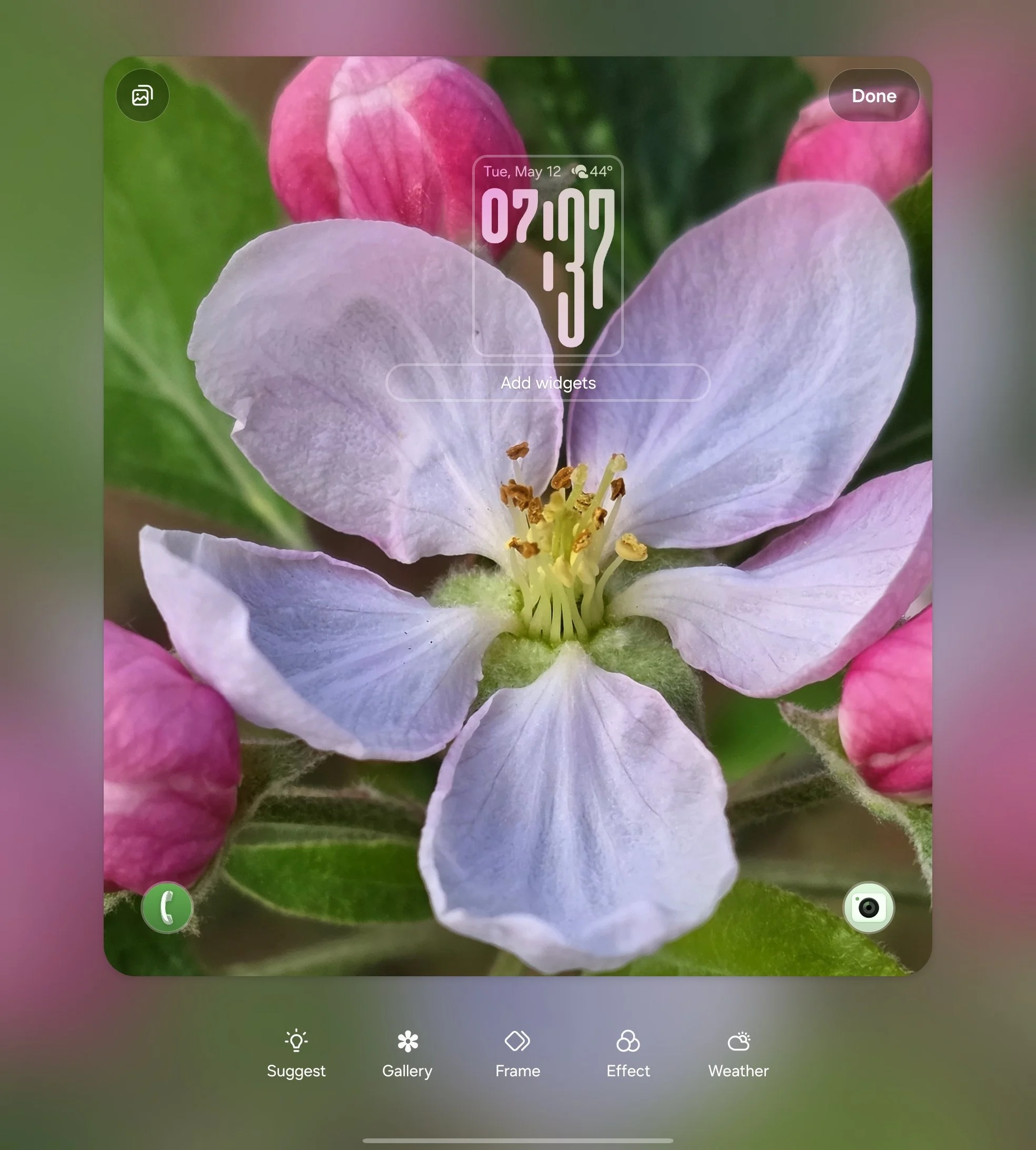
This update also brings a much smarter way to handle your lock screen clock. The system can now intelligently identify the focal point of your wallpaper, whether it is a person, a pet, or a specific object, and wrap the clock around it in a really nice dynamic way. This differs from the layered depth effect where parts of the clock can sit behind the subject of your photo you’ve probably seen on other devices, instead opting to have the clock wrap around the focal point. It works well and I really like the way it looks.
Persistent DeX Window Layouts
Another huge update for productivity is the addition of persistent window layouts in Samsung DeX. Now, if you launch an app and resize it into a specific position, size, or shape, the system actually remembers exactly how you left it. When you close that app and open it again, it restores that precise layout automatically.
This has been a big benefit for me personally, because it makes it so much easier to have specific window setups that you can return to time and time again. You don't have to waste time dragging corners or snapping windows into place every single time you start your workday. It finally makes the DeX environment feel like a true desktop replacement where your workspace stays exactly how you want it.
Creative Studio
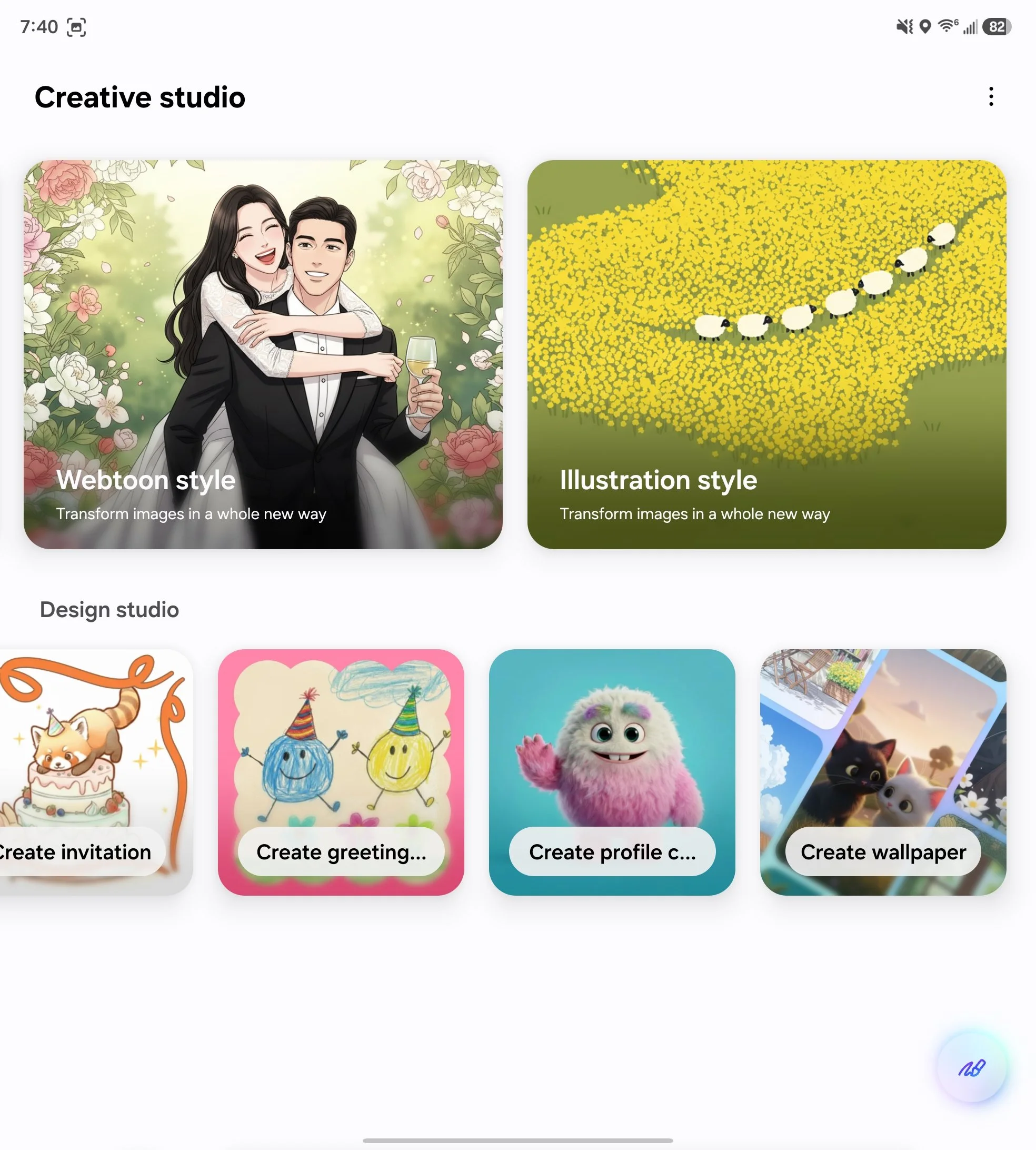
Next, we have the new Creative Studio, which is basically Samsung’s answer to Pixel Studio. It serves as a more advanced, standalone replacement for the older Drawing Assist tools, focused entirely on AI image generation and creative transformations.
You can use it to generate original images from text prompts or take an existing photo and completely flip the style. It includes options to turn images into a childhood sketch, a marker drawing, or a webtoon style, and it even allows you to create custom sticker sets and wallpapers directly within the app.
Agentic Bixby
The biggest shift for Bixby in One UI 8.5 is the move toward "Agentic AI." If you haven't used Bixby much before, the best way to think of this update is that it now acts a lot more like Gemini or ChatGPT, especially since it is actually powered by Perplexity for its web search capabilities. This gives it a massive boost in conversational depth and real-time accuracy while maintaining deep control over your actual device settings.
Instead of needing to know the exact name of a menu option, you can just tell Bixby what you want to happen in plain language. If you mention that you want your phone to stay unlocked when you are at home, it knows exactly which toggles to flip to make that happen.
The Perplexity integration also means it keeps you in your flow much better than the old version. When you ask for information or a complex question, the results appear in a floating window with live, up-to-date answers rather than kicking you over to a browser.
Floating Pill and Frosted Glass Design
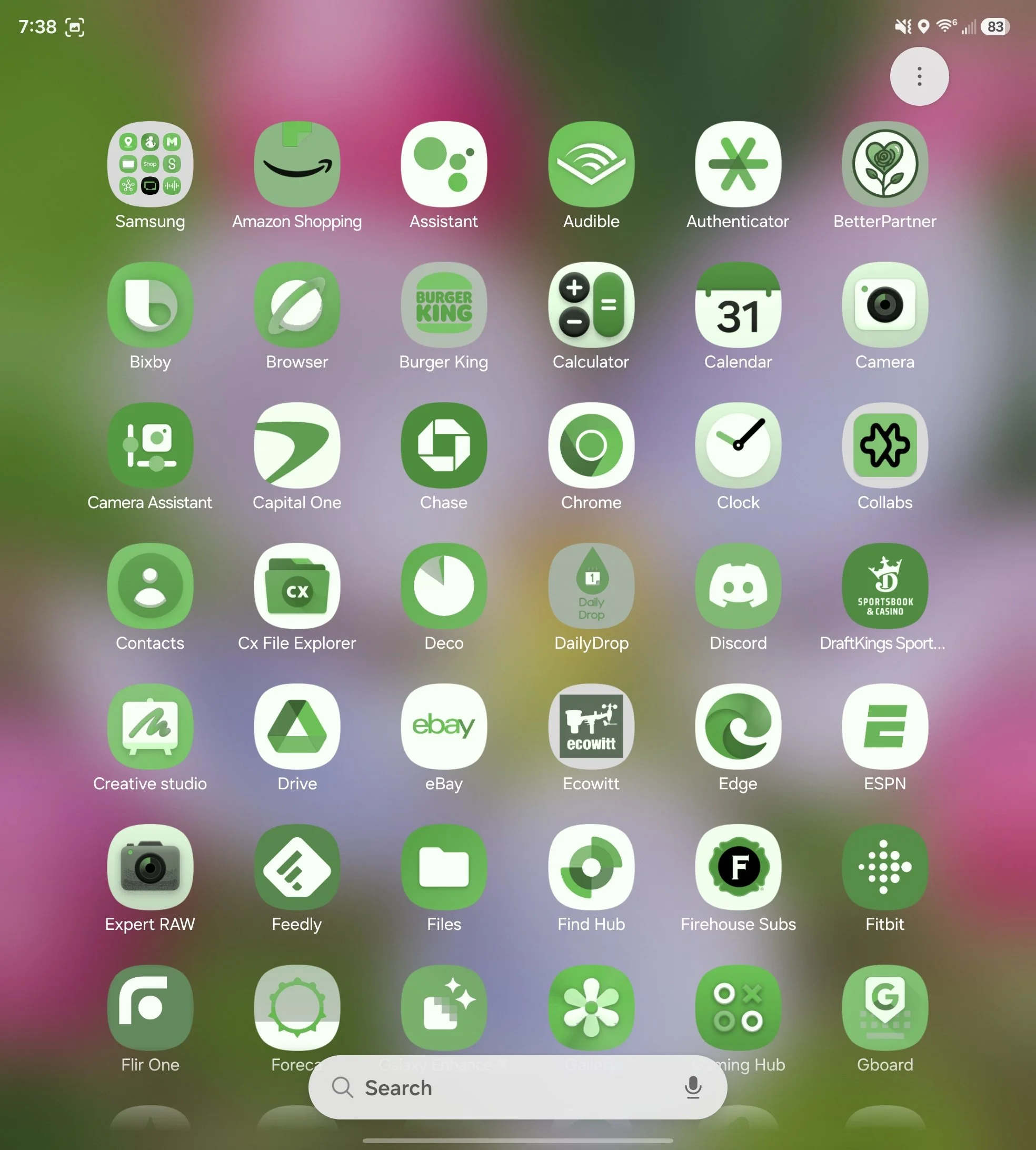
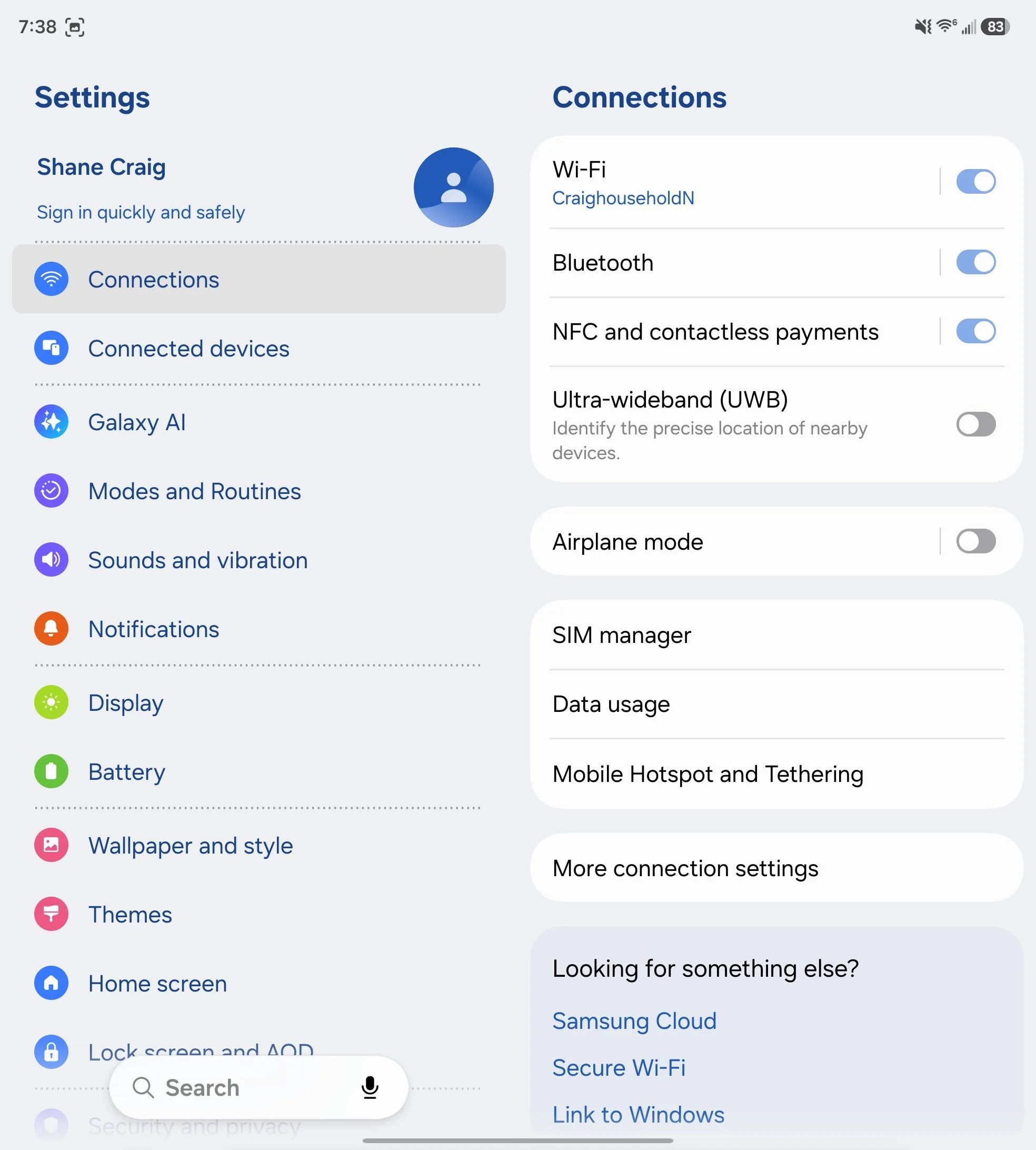
Samsung has leaned heavily into a refined design language for One UI 8.5, and you'll notice it almost everywhere in the form of floating pills and frosted glass effects. These changes are seen in major UI elements, from the clock application to the bottom search bar in the app drawer. Even the search bar in the settings app has shifted to this floating style.
Beyond the pill shapes, there is a much heavier emphasis on transparency and depth. The lock screen, for instance, now has a very distinct frosted glass look that lets your wallpaper peek through with a soft blur. By detaching elements from the edges and adding these glass textures, the entire interface feels much more modern, airy, and premium.
Final Thoughts
One UI 8.5 is a massive update, and after running the beta on my Fold 7 for months, I can say it has been a surprisingly smooth experience with no major issues to report. It finally feels like Samsung is back on track when it comes to delivering meaningful changes to the Android experience. While the beta program still tends to last a bit longer than it probably should, the stability and polish of this final release make the wait feel worth it. If you are on a supported device, this is an update you will definitely want to grab as soon as it hits your settings menu.
