We Finally Know How Sideloading is Going to Work..
The conversation around sideloading on Android is finally getting some clarity. For months, there has been significant speculation and controversy regarding how Google might change the way users install apps from outside the Play Store. In a recent update, Google detailed a new verification process that aims to balance user choice with increased security.
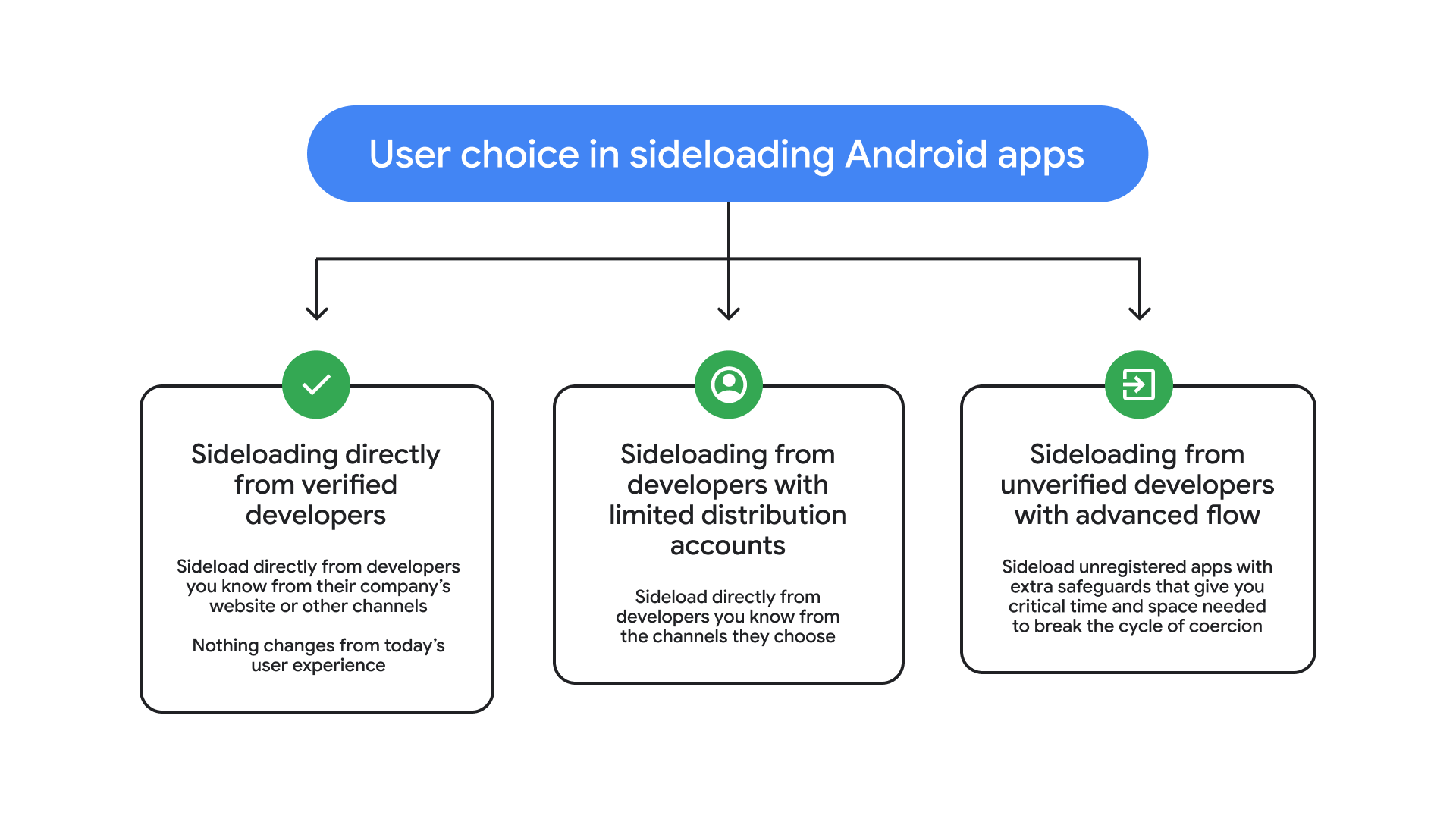
The new system is scheduled for a phased rollout, starting in certain regions in late 2026 and expanding globally by 2027. At its core, the change introduces a verification process for app developers that is essentially identical to the requirements for the Google Play Store. Developers must provide identification so that Google can track and potentially block malicious actors who distribute harmful software. For users, this means that sideloading will now be categorized based on the status of the developer.
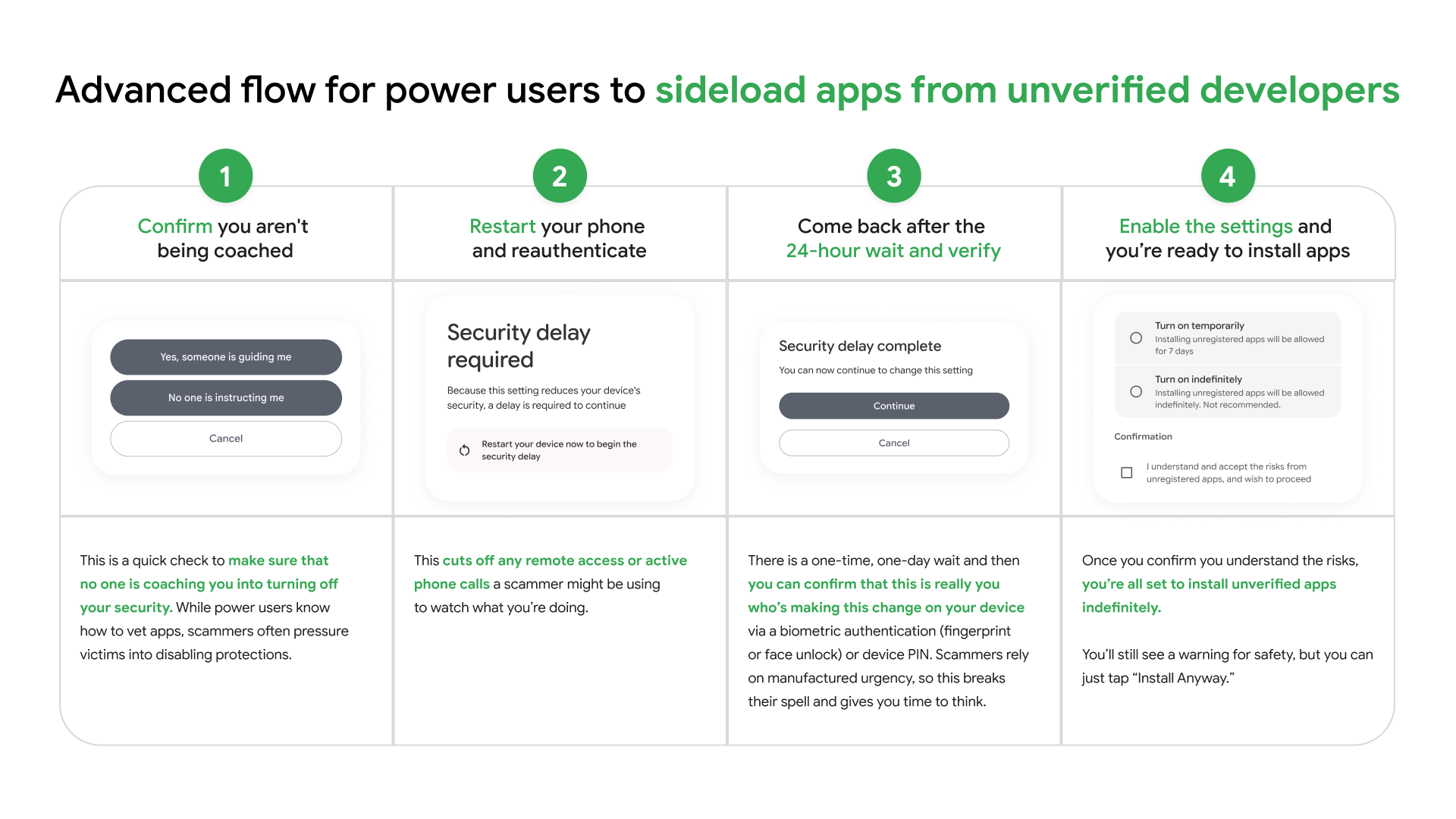
Sideloading apps from verified sources will remain a frictionless experience, with no changes to the current user flow. However, installing apps from unverified sources will now require an advanced workflow designed to prevent high-pressure scams and coercion. The process for installing unverified apps is more involved, but we now know that it remains a one-time setup for each device. To install an unregistered app, users must first enable developer options. This involves tapping the build number multiple times and entering a device PIN.
Once that is done, users have to pass a coercion check. You will be asked to confirm that you are not being talked into making these changes by a third party, which is a common tactic used by scammers. The device must then be restarted to cut off any active phone calls or remote access sessions a scammer might be using. After reauthenticating with a PIN or biometrics, there is a one-time, 24 hour waiting period before the final confirmation can be made. This is specifically designed to break the spell of manufacturing urgency that scammers rely on.
When this process is complete, you can choose to enable installations from unverified developers for seven days or indefinitely. A standard warning will still appear, but you can simply tap install anyway to proceed. While there has been concern that these changes were designed to block specific front end apps or ad blockers, the new workflow suggests the primary motivation is security. By forcing a pause and a restart, Google aims to align the safety reputation of Android more closely with that of iOS.
For developers and power users who rely on ADB, the process for sideloading through a computer remains completely unchanged. You can use ADB to install necessary apps immediately while the 24 hour waiting period for on device sideloading runs in the background. It is a bit of a hoop to jump through, but it does not seem to be the "end of sideloading" that many were fearing.
